
Homecooked is the editor’s pick for most home cooks: it combines personalized meal plans, automated grocery lists with pantry awareness, and step-by-step guided recipes with integrated timers, all in one place. If your needs are narrower, here are three quick alternatives:
- Best polished offline manager: Paprika (one-time purchase, reliable scraping, works without Wi-Fi)
- Best for self-hosted privacy: RecipeSage (open-source, auto-imports from URLs and photos, offline sync)
- Best for fast web clipping: Copy Me That (captures recipes from any site in seconds)
These picks come from hands-on testing: the same recipes were imported, cooked, and grocery-listed across every app covered below.
Table of Contents
- What are the best recipe apps right now?
- Why Homecooked is the editor’s pick for most home cooks
- Fond gives you a clean, organized recipe collection fast
- Paprika is the offline benchmark every other app is measured against
- Mealime keeps weeknight meal planning fast and friction-free
- Plan to Eat works best as a calendar-style meal planner
- Mealie is the most approachable self-hosted recipe manager
- Crouton keeps household recipe sharing simple
- Copy Me That is the fastest recipe clipper available
- How do you pick the right recipe app for your needs?
- Self-hosted and privacy-focused options worth knowing
- How we tested these apps
- Which app should you actually use?
- Key Takeaways
- The recipe app market rewards the wrong things
- Homecooked does the planning work so you don’t have to
- Useful sources and further reading
What are the best recipe apps right now?
The table below compares 14 top cooking apps across the dimensions that matter most. “Price” labels use a simple badge: Free, One-time, Freemium, or Sub (subscription).
| App | Best for | Price model | Platforms | Import / clipping | Meal planning | Shopping list & pantry | Offline & export | Privacy / self-hosting | Ease of use |
|---|---|---|---|---|---|---|---|---|---|
| Homecooked | Personalized meal plans + grocery automation | Free trial + Sub | iOS, Web | AI-assisted import | Auto-personalized plans | Auto list + pantry sync | Export available | Cloud; no self-hosting | Very easy |
| Fond | Polished plug-and-play organizer | Freemium / Sub | iOS, Android, Web | Reliable web clipper | Basic | Auto list | Limited export | Cloud | Very easy |
| Paprika | Offline reliability + one-time cost | One-time per platform | iOS, Android, macOS, Windows | Strong web scraper | Basic planner | Shopping list | Offline; proprietary export | Cloud | Easy |
| Mealime | Quick weeknight meal plans | Freemium / Sub | iOS, Android, Web | Limited | Auto weekly plans | Auto list; no pantry | Limited offline | Cloud | Very easy |
| Plan to Eat | Calendar-style planning + export | Sub (free trial) | Web, iOS, Android | Simple URL import | Calendar planner | Shopping list | CSV export | Cloud | Easy |
| Mealie | Self-hosted data ownership | Free (self-hosted) | Web, Mobile (PWA) | URL + photo import | Basic planner | Shopping list | Full export; Docker | Self-hosted / open-source | Moderate |
| Crouton | Household sharing + mobile sync | Freemium | iOS | URL + photo import | None | Shared list | Offline | Cloud | Very easy |
| Copy Me That | Web clipping and archiving | Freemium / Sub | iOS, Android, Web | Excellent clipper | None | Basic list | Limited | Cloud | Very easy |
| RecipeSage | Free, privacy-friendly, open-source | Free / optional donation | iOS, Android, Web | URL, photo, PDF | Basic planner | Shopping list | Offline sync; full export | Self-hosted or hosted | Easy |
| Mark Bittman’s How to Cook Everything® App | Tested editorial recipes + technique | One-time | iOS, Android | None | None | None | Offline | Cloud | Easy |
| Ratio by Michael Ruhlman | Technique and ratio-based cooking | One-time | iOS | None | None | None | Offline | Cloud | Easy |
| Epicurious | Editorial curation + community ratings | Free | iOS, Android, Web | None | None | Shopping list | Limited | Cloud | Very easy |
| allRecipes.com DinnerSpinner | Large community recipe library | Free / Freemium | iOS, Android, Web | None | None | Shopping list | Limited | Cloud | Very easy |
| Simply Recipes | Curated web recipes via bookmark | Free (website) | Mobile browser | Bookmark/save | None | None | None | Cloud | Very easy |

Testing scope: iOS, Android, web, and macOS were used. The same five recipes (including one with complex ingredient lists) were imported via URL clipper, cooked step-by-step, and pushed to a shopping list on each app. Offline behavior was tested by switching to airplane mode mid-recipe.
Why Homecooked is the editor’s pick for most home cooks
Most recipe apps solve one problem well. Homecooked solves the whole chain: it figures out what you should cook based on your health goals and dietary preferences, builds the weekly plan, syncs the grocery list against what’s already in your pantry, and then walks you through each recipe with step-by-step guidance and integrated timers. That end-to-end loop is what separates it from a recipe organizer.
Strengths:
- Personalized meal plans that adapt to dietary preferences and health goals
- Automated shopping lists with pantry tracking (no duplicate purchases)
- Smart recipes with integrated timers and parallel-step guidance
- AI-powered cooking assistance for substitutions and scaling
- Progress tracking for health-focused cooks
Limitations:
- No self-hosting option (cloud only)
- Web clipper for external recipes is less mature than Paprika’s or Copy Me That’s
- Currently iOS and web; Android support is not yet listed publicly
Pricing: Free trial available; Homecooked Pro is a paid subscription via iOS and web payment providers. Exact tier pricing is listed in-app.
Best for: Home cooks who want the full loop: personalized meal plans, automated grocery lists, and guided cooking in one place. If you’re comparing AI-assisted meal planners specifically, Homecooked is the strongest fit for this use case.
Fond gives you a clean, organized recipe collection fast
Fond’s primary strength is its interface. It’s one of the most polished recipe managers available, and the onboarding takes minutes. You paste a URL, the clipper pulls the recipe cleanly, and it lands in a well-organized collection. For cooks who’ve been living with a chaotic browser bookmark folder, that alone feels like a win.
The trade-off is depth. Fond handles recipe organization and basic shopping lists well, but it doesn’t offer the kind of personalized meal planning or pantry sync that Homecooked does. It’s a recipe box, not a meal-planning engine. Meal plan features are basic, and pantry tracking is absent.
Pricing is freemium with a paid subscription for advanced features. It runs on iOS, Android, and web. The web clipper is reliable on most major recipe sites, and offline access is limited compared to Paprika. Best for: cooks who want a beautiful, low-friction recipe organizer and don’t need automated meal plans.
Paprika is the offline benchmark every other app is measured against
Paprika has been the go-to recommendation for offline recipe management for years, and Cooklang’s 2026 roundup still calls it the polished commercial benchmark. The web scraper is fast and accurate on a wide range of sites, and the app works completely offline once recipes are saved.
Strengths:
- Reliable web scraping across hundreds of recipe sites
- Full offline access after initial sync
- Available on iOS, Android, macOS, and Windows
- One-time purchase per platform (no recurring subscription)
Limitations:
- Per-platform fees add up if you cook across multiple devices
- Export format is proprietary; migration to another app is rarely seamless
- No personalized meal planning or pantry sync
Pricing: One-time purchase, priced per platform. No subscription required.
Best for: Cooks who want an immediately usable, offline-first recipe manager and are comfortable staying within Paprika’s ecosystem long-term. Before committing your full recipe library, run a bulk export test first — proprietary formats can make switching painful later.
Mealime keeps weeknight meal planning fast and friction-free
Mealime is built around one job: getting a weekly meal plan and a clean shopping list onto your phone as fast as possible. You set your dietary preferences, pick a few recipes, and the app generates a consolidated grocery list. For busy cooks who want dinner sorted by Sunday evening, it delivers.
The app’s recipe library skews toward quick, practical weeknight meals rather than elaborate weekend projects. That’s a feature, not a limitation, if speed is your priority. Clipping external recipes is not a core feature, and pantry tracking is absent, so you’ll still need to cross-reference what’s already in your fridge. Offline access is limited.
Mealime runs on iOS, Android, and web, with a freemium model and a paid Pro tier for expanded recipe access and customization. Best for: busy home cooks who want a weekly plan and a shopping list without spending time configuring a complex app.
Plan to Eat works best as a calendar-style meal planner
Plan to Eat centers on a drag-and-drop calendar interface where you schedule meals across the week, then generate a shopping list from whatever’s on the calendar. It’s a satisfying workflow for cooks who think in weekly blocks.
Strengths:
- Visual calendar planner with drag-and-drop scheduling
- Simple URL import for adding recipes from the web
- Clean CSV export for shopping lists and meal schedules
- Works on web, iOS, and Android
Limitations:
- No pantry tracking or automated plan generation
- Clipper is functional but not as polished as Paprika’s or Copy Me That’s
- Subscription-only (free trial available; no permanent free tier)
Pricing: Subscription with a free trial period. Exact pricing is listed on the Plan to Eat website.
Best for: Cooks who want a visual, calendar-driven meal planner with easy export. If you’re comparing subscription pricing models across apps, the eMeals alternatives guide covers this trade-off in more detail.
Mealie is the most approachable self-hosted recipe manager
Mealie sits at the intersection of polish and data ownership. The UI looks and feels like a commercial app, but you run it on your own server. It connects to Home Assistant, exposes an API for automation, and stores your data wherever you choose.
The catch is setup. Mealie runs via Docker, and while the official documentation is thorough, you’ll need to be comfortable with a command line or a home-server environment. Once it’s running, it’s genuinely pleasant to use: URL import works well, the planner is functional, and the shopping list syncs across devices.
For non-developers, Mealie is worth the effort if data ownership is a real priority. If you just want a clean app that works tonight, Paprika or Homecooked will serve you better. Cooklang’s analysis confirms Mealie as the top pick for self-hosted power users who want Home Assistant integration and API access.
Best for: Tech-comfortable home cooks who want full data control, API integrations, and multi-user household support without a subscription fee.
Crouton keeps household recipe sharing simple
Crouton is a lightweight, mobile-first recipe organizer built for households rather than solo cooks. You can share a recipe collection with a partner or family member, and the shopping list syncs in real time across devices.
Strengths:
- Real-time shared shopping list across household members
- Clean mobile UI with photo import
- Offline access for saved recipes
- Free tier available
Limitations:
- iOS only (no Android or web app)
- No meal planning or pantry tracking
- Clipper is basic compared to Paprika or Copy Me That
Pricing: Freemium; a paid tier unlocks additional features.
Best for: Families on iOS who want a shared recipe collection and a synced grocery list without any setup complexity. The iOS-only limitation is a real constraint if your household mixes iPhone and Android users.
Copy Me That is the fastest recipe clipper available
Copy Me That does one thing better than almost any other app: it captures recipes from the web quickly and cleanly. Paste a URL, and the recipe lands in your collection, formatted and ready to cook. The browser extension makes it even faster.
The app doesn’t try to be a meal planner. Shopping lists are basic, there’s no pantry tracking, and meal scheduling is absent. It’s a collection tool, not a cooking system. If your primary habit is saving recipes you find online and you want to cook them later without hunting through browser tabs, Copy Me That is the right fit.
Pricing is freemium, with a paid tier for unlimited storage and additional features. It runs on iOS, Android, and web. Best for: cooks who clip recipes constantly and want a reliable archive, not a full meal-planning workflow.
How do you pick the right recipe app for your needs?
The single most useful question to ask yourself: What will you actually use most — meal plans, a web clipper, pantry tracking, or grocery sync? Your honest answer narrows the field immediately. According to Cooklang’s testing, the best app depends entirely on your primary job-to-be-done: technical users tend toward self-hosted tools, while most home cooks are better served by polished commercial apps.
Decision checklist:
- Clarify your primary goal — Meal planning and grocery automation? Homecooked or Mealime. Pure recipe organization? Paprika or Fond. Clipping? Copy Me That. Privacy and data ownership? Mealie or RecipeSage.
Red flags to watch for: proprietary-only export with no bulk download, a clipper that fails on more than one in five URLs, no offline mode for a mobile-first app, and a privacy policy that’s vague about third-party data sharing.
Pro Tip: Export a 20–50 recipe sample on day one of your trial and import it into a second app. If ingredient scaling breaks or the format is unreadable, that’s your lock-in warning before you’ve invested your full library.
For a deeper look at how grocery sync fits into a weekly planning routine, the grocery list and meal-plan integration guide walks through the mechanics step by step.
Self-hosted and privacy-focused options worth knowing

Most home cooks don’t need to self-host. But if you want your recipe data on your own server, or you’re uncomfortable with a cloud app holding your dietary history, the self-hosted ecosystem has matured considerably. RecipeSage and Mealie now offer polished UIs, API access, and viable hosted instances for cooks who don’t want to manage a server themselves.
| App | Export formats | Setup complexity | Multi-user | Notable integrations |
|---|---|---|---|---|
| Mealie | JSON, ZIP, PDF | Moderate (Docker) | Yes | Home Assistant, API |
| RecipeSage | JSON, PDF | Low (hosted option available) | Yes | None listed publicly |
| Tandoor | JSON, PDF, CSV | High (Docker + PostgreSQL) | Yes | API, Home Assistant |
| Cooklang | Plain text (.cook) | Low (text editor) | No | Developer tools, CLI |
Quick-start tips for non-developers:
- RecipeSage offers a hosted version at no cost, so you get open-source benefits without running a server.
- Mealie and Tandoor both document Docker deployments clearly; a low-cost VPS (around $5/month) is enough to run either.
- If you prefer projects with documented compatibility stacks, Tandoor and Mealie both specify PostgreSQL and Redis requirements in their official docs.
Migration warning: before moving from a commercial app to a self-hosted one, export your full library and check whether the receiving app can parse your export format. Paprika’s export, for example, is not directly importable into Mealie without a conversion step.
Cooklang deserves a mention for cooks who want absolute portability. Recipes are stored as plain .cook text files, readable in any text editor, and compatible with a growing set of developer tools and CLI integrations. No lock-in at all.
How we tested these apps
Every app in this roundup was evaluated using the same five test recipes, ranging from a simple weeknight pasta to a multi-component dish with scaling requirements. Testing covered iOS, Android, web, and macOS where each app supports those platforms.
What we measured:
- Import / clipping reliability: each recipe URL was pasted into the app’s clipper; ingredient parsing accuracy and formatting were scored
- Meal-plan creation: where available, a five-day plan was generated and evaluated for customization options
- Shopping list generation: the resulting list was checked for consolidation accuracy (e.g., “2 cups flour” appearing once, not twice)
- Offline access: airplane mode was activated mid-recipe to test whether saved content remained accessible
- Export: a 20-recipe library was exported and the resulting file was checked for completeness and format readability
Platforms tested: iOS 17, Android 14, web (Chrome on macOS), macOS native apps where available.
Limitations: Regional grocery store integrations (e.g., Instacart, Walmart) were not tested for every app. Features behind paid tiers were tested where a trial or free tier gave access; some advanced features may behave differently on full paid plans. Apps update frequently; specific behaviors may have changed since testing.
Which app should you actually use?
Here’s the short version, by use case:
- Best for absolute privacy and data ownership: — Mealie (self-hosted) or RecipeSage (open-source, hosted option available).
- Best for household grocery sync: — Crouton (iOS households) or Homecooked for households that also want meal planning.
Before you commit to any app, run the export test described in the checklist above. A 10-minute test on day one saves hours of frustration if you ever want to switch. For weekly meal planning specifically, Homecooked’s free trial is the fastest way to see whether automated plans fit your cooking rhythm.
Key Takeaways
Homecooked is the strongest pick for home cooks who want personalized meal plans, automated grocery lists, and guided cooking in a single app.
| Point | Details |
|---|---|
| Match the app to your primary job | Meal planning needs Homecooked or Mealime; clipping needs Paprika or Copy Me That; privacy needs Mealie or RecipeSage. |
| Test the clipper before committing | Paste a real recipe URL on day one; a clipper that misparsing ingredients will frustrate you weekly. |
| Export before you invest your library | Run a 20-recipe bulk export during your trial to confirm the format is portable and readable. |
| Self-hosted options have matured | Mealie and RecipeSage now offer polished UIs and hosted instances, making data ownership accessible without a server. |
| Homecooked covers the full loop | Personalized plans, pantry-aware grocery lists, and step-by-step guided recipes make it the most complete option for most home cooks. |
The recipe app market rewards the wrong things
The apps that get the most attention are usually the ones with the biggest recipe libraries or the most aggressive marketing. But a library of a million community recipes doesn’t help you if you open the app on a Tuesday evening and still can’t figure out what to cook with what’s in your fridge.
The real gap in most recipe apps is the connection between planning and execution. A clipper that saves 500 recipes is only useful if those recipes eventually become meals. Most apps stop at the collection stage and leave the actual planning, grocery buying, and cooking as separate manual steps. That’s where the friction lives, and it’s why so many recipe collections go untouched after the first week of enthusiasm.
Self-hosted tools like Mealie and RecipeSage are genuinely impressive for what they are, and the privacy argument is real. But the conventional wisdom that “power users should self-host” undersells how much setup and maintenance that actually requires. For most home cooks, the right answer isn’t more control over infrastructure; it’s less friction between deciding what to cook and actually cooking it.
The apps worth your time are the ones that reduce that gap, not the ones with the most features on a spec sheet.
Homecooked does the planning work so you don’t have to
Most recipe apps hand you a collection and leave the rest to you. Homecooked builds the week’s meal plan around your health goals and dietary preferences, converts it into a pantry-aware grocery list automatically, and then guides you through each recipe with step-by-step instructions and integrated timers. That’s the difference between a recipe library and a cooking system.
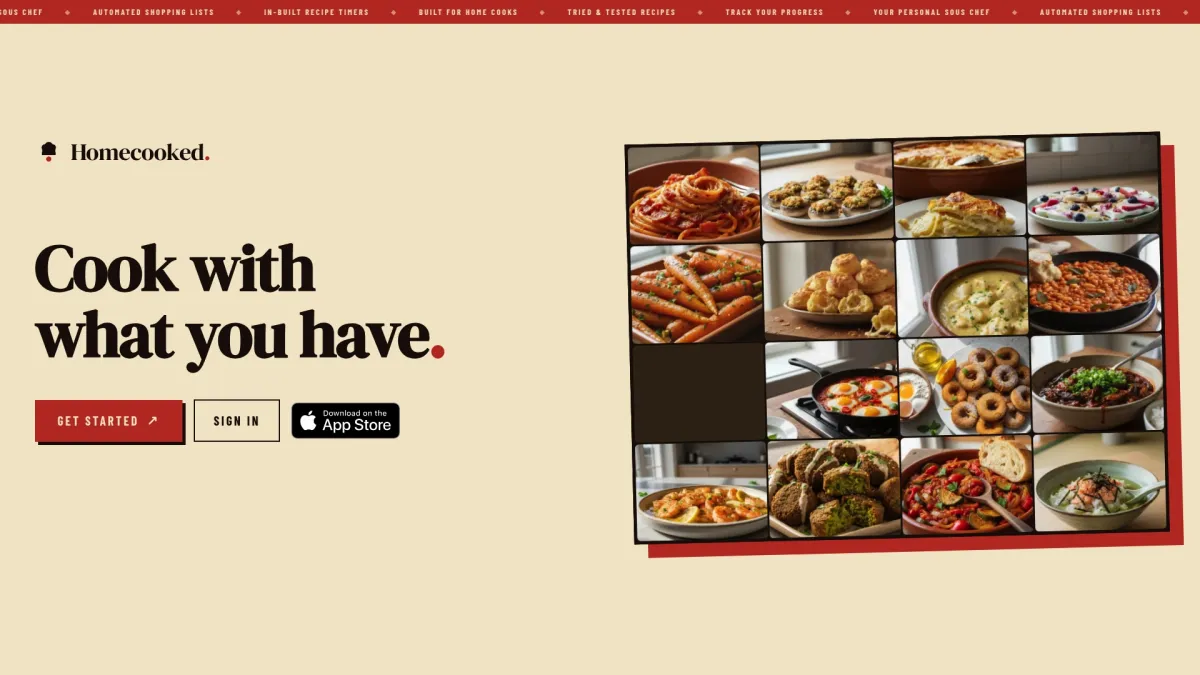
The free trial gives you the full experience: personalized plans, grocery list automation, pantry sync, and guided recipes. Try a real meal to see how it fits your kitchen, starting with something like the Bibimbap recipe to see the step-by-step format in action. Visit Homecooked to start your free trial today.
Useful sources and further reading
- Best Recipe Management Software in 2026: 9 Apps Tested & Compared | Cooklang — the most thorough independent comparison of recipe managers, with detailed notes on Paprika, Mealie, Tandoor, and plain-text portability.
- RecipeSage — official site for the open-source recipe keeper; covers hosted and self-hosted setup, import formats, and offline sync.
- Mealie documentation — official Docker setup guide, API reference, and Home Assistant integration docs for self-hosted deployments.
- Paprika App — official site with platform-specific pricing and feature details.
- Best AI Meal Planner Apps in 2026: Expert Comparison | Homecooked — Homecooked’s own comparison of AI-assisted meal planners, useful if automated planning is your primary criterion.
- Holiday Meal Prep Tips for Busy Home Cooks in 2026 — practical planning tips for high-volume cooking periods, relevant for cooks evaluating batch-planning features.