
The best eMeals alternatives right now are Homecooked (best all-around replacement), PlateJoy (dietitian-backed personalization), Mealime (fast weeknight planning), Eat This Much (macro-focused budgeters), and Plan to Eat (bring-your-own-recipe organizers). For most home cooks who want personalized weekly plans, pantry tracking, and grocery automation in one place, Homecooked is the strongest swap. It covers the core eMeals benefits — weekly meal plans, diet filters, and shopping lists — and adds AI-powered recipe suggestions, step-by-step guided cooking with built-in timers, and pantry-aware grocery automation that connects with Instacart and local pickup options.
Here’s who each approach fits best:
- Homecooked — best for health-focused cooks who want AI-personalized plans, pantry tracking, and automated grocery lists without managing recipes manually
- PlateJoy — best for users with specific medical or dietary goals who want a dietitian-informed intake process
- Mealime — best for busy individuals or couples who need a clean, fast-loading app with simple weeknight recipes
- Eat This Much — best for macro trackers and budget-conscious cooks who want calorie and cost targets built into the plan
- Plan to Eat / Paprika / Prepear — best for cooks who already have a recipe collection and want a smart organizer with shopping list export
- Foodsmart — best for users with clinical nutrition needs or employer-sponsored wellness programs
- Cooklist — best for pantry-first cooks who want to reduce waste by building meals around what they already own
- Blue Apron — best for cooks who prefer pre-portioned ingredient kits delivered to the door rather than a digital planner
eMeals offers a variety of meal and diet plans and sends new recipes weekly. Every option below either matches or expands on that range in at least one meaningful way.
Table of Contents
- How do the top eMeals alternatives compare at a glance?
- Short reviews of the best eMeals-style apps and near-replacements
- How do you choose the right eMeals alternative for your kitchen?
- What should you expect to pay when switching from eMeals?
- What’s the best eMeals alternative for your specific situation?
- Why Homecooked is a strong eMeals replacement
- Which grocery stores do these apps connect with besides Walmart?
- How reliable is recipe variety across these services over time?
- Key Takeaways
- The case for picking one approach and sticking with it
- Homecooked: personalized meal planning with a free trial
- Sources and further reading
How do the top eMeals alternatives compare at a glance?
| Option | Best for | Pricing shape | Platforms | Diet types | Grocery integration | Customization |
|---|---|---|---|---|---|---|
| Homecooked | AI-personalized plans + pantry tracking | Free trial; paid subscription (Homecooked Pro) | iOS, web | Keto, vegan, gluten-free, custom goals | Instacart, local pickup | High — pantry sync, health goals, allergy filters |
| PlateJoy | Dietitian-backed personalization | Monthly or annual subscription; free trial | iOS, Android, web | 20+ diet types, medical-friendly | Instacart | High — detailed intake quiz |
| Mealime | Fast weeknight planning | Free tier; Pro subscription | iOS, Android | Vegetarian, vegan, paleo, low-carb | Manual export | Medium — ingredient swaps |
| Eat This Much | Macro/budget targeting | Free tier; paid plan | iOS, Android, web | Keto, vegan, paleo, custom macros | Instacart | High — calorie + cost targets |
| Plan to Eat | Bring-your-own-recipe organizer | Annual subscription; free trial | iOS, Android, web | Any (user-defined) | Manual shopping list | Medium — drag-and-drop planner |
| Paprika | Recipe manager + meal planner | One-time purchase | iOS, Android, macOS, Windows | Any (user-defined) | Manual export | Medium — pantry list |
| Prepear | Recipe manager + family planner | Free tier; Pro subscription | iOS, Android, web | Any (user-defined) | Varies | Medium |
| Foodsmart | Clinical nutrition / employer wellness | Varies (often employer-covered) | iOS, Android, web | Medical diet plans | Grocery delivery partners | High — dietitian-guided |
| Cooklist | Pantry-first waste reduction | Free tier; paid plan | iOS, Android | Flexible | Instacart, Walmart | High — pantry-first logic |
| Blue Apron | Meal-kit ingredient delivery | Per-box subscription | iOS, Android, web | Vegetarian, wellness, family | Delivered to door | Low — fixed weekly kits |
Practical differences you’ll notice day to day:
- Shopping list automation varies widely. Homecooked, PlateJoy, Eat This Much, and Cooklist generate lists automatically; recipe managers like Plan to Eat and Paprika require more manual setup.
- Pantry awareness is a genuine time-saver. Apps that track what you already own (Homecooked, Cooklist) cut repeat purchases and reduce food waste in ways that purely plan-focused apps don’t.
- Recipe variety cadence matters for long-term use. Services that push new recipes weekly (eMeals sends seven) keep planning fresh; bring-your-own-recipe tools depend entirely on how often you add new content yourself.
Short reviews of the best eMeals-style apps and near-replacements
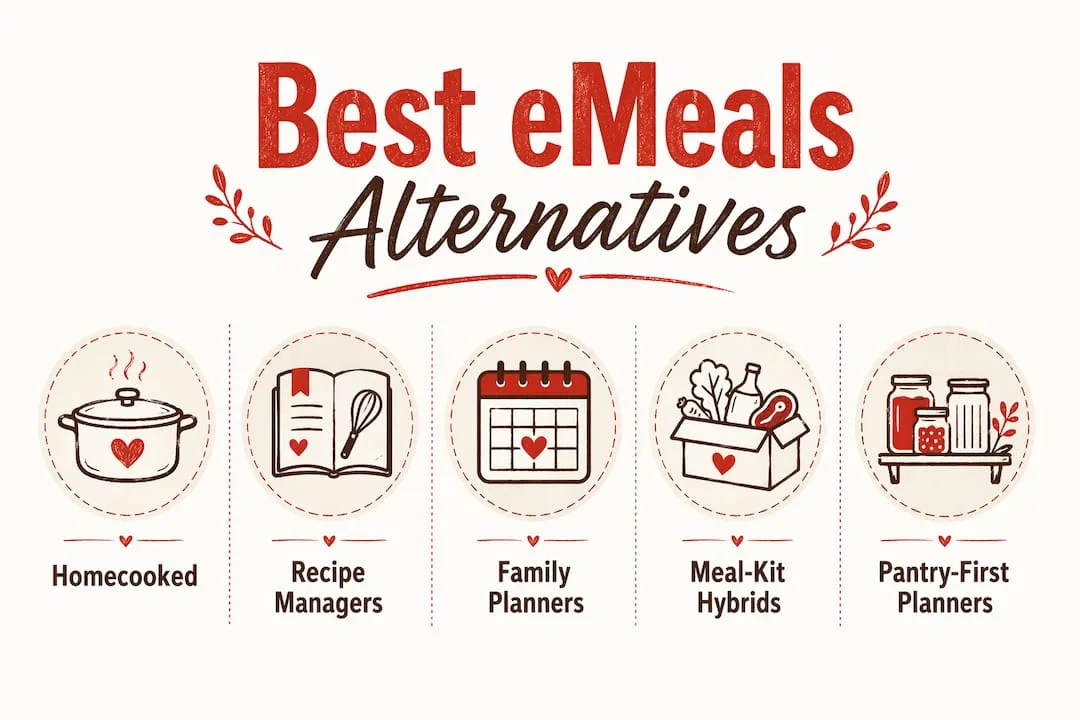
Category approaches for meal planning fall into four broad types: AI weekly planners, recipe managers, family-oriented weekly planners, meal-kit hybrids, and pantry-first planners. Here’s how each plays out in practice.
AI weekly planners (Homecooked, PlateJoy, Eat This Much)
These apps generate a full week of meals based on your dietary goals, allergies, and household size. Homecooked goes furthest with AI-driven pantry suggestions, step-by-step smart recipes with timers, and progress tracking. PlateJoy uses a detailed intake quiz and dietitian oversight to build plans suited to medical goals like blood sugar management. Eat This Much builds plans around calorie and macro targets, then factors in your grocery budget. Compared to eMeals, all three offer stronger personalization. The trade-off: they require more setup upfront.

Recipe managers (Plan to Eat, Paprika, Prepear)
If you already have a collection of go-to recipes, a recipe manager is the most natural eMeals alternative. You import recipes from websites or enter them manually, drag them onto a weekly calendar, and export a shopping list. Plan to Eat is the most polished option for this workflow, with a clean web interface and a solid free trial. Paprika is a one-time purchase with offline access, which appeals to cooks who dislike subscriptions. Prepear adds a social layer with shared recipe collections. None of these generate plans for you, so they suit cooks who enjoy curating their own menus rather than receiving weekly suggestions.
Family-oriented weekly planners (Mealime, Prepear)
Mealime is built for speed. You set dietary preferences, pick a plan size, and get a week of recipes with a consolidated shopping list in under two minutes. The free tier covers most needs; the Pro plan adds more recipe variety and nutritional details. Prepear leans into family use with shared accounts and kid-friendly recipe tags. Both are simpler than eMeals in terms of diet-plan variety but faster to get started.

Meal-kit hybrids (Blue Apron)
Blue Apron skips the planning layer entirely. You choose a box, pre-portioned ingredients arrive at your door, and you cook from a printed card. It’s the right pick if you find grocery shopping itself to be the friction point, not the planning. The cost per meal runs higher than a digital planner, and you’re locked into whatever the weekly menu offers. Diet flexibility is limited compared to any of the app-based alternatives.
Pantry-first planners (Cooklist, Homecooked)
Cooklist scans your pantry and builds meal suggestions around what you already have, connecting with Instacart and Walmart for anything missing. Homecooked does the same within its AI planning layer, making it a strong pick for cooks who want to reduce waste without switching to a separate pantry app. Community forums consistently flag pantry tracking as the feature that most reduces duplicate shopping and food waste when switching services.
Pro Tip: Before committing to any service, check whether its grocery integration works with your actual preferred store. A solid Instacart or pickup connection saves more time than an extra 50 diet-plan options — grocery integration quality matters more than recipe count when your real goal is fewer trips to the store.
How do you choose the right eMeals alternative for your kitchen?
Match by hard constraints first: dietary needs, grocery delivery availability in your area, and budget. Then layer in workflow preferences — whether you want a plan handed to you, a kit delivered, or a smart organizer for your own recipes.
- List your must-haves. Write down your dietary restrictions, household size, and whether you need grocery delivery or just a shopping list export. This alone eliminates half the options.
- Start a free trial. Most services offer one. Use it for a full week, not just a browse session.
- Check platform sync. Confirm the app works on the devices you actually cook from. Some services are web-only or iOS-only.
- Sample a full weekly plan. Don’t just look at the recipe library. Generate or receive an actual week and check whether the meals feel realistic for your schedule.
- Test grocery integration. Export a shopping list to Instacart or your preferred store’s pickup. If that step is clunky, it will stay clunky every week.
- Watch for red flags. Opaque cancellation terms, missing diet support for your specific needs, or grocery integration that only works with one retailer in a region you don’t shop are all reasons to move on.
For family-focused weeknight cooking, also check whether the service lets you scale recipes by serving size and whether kid-friendly filters exist.
Pro Tip: In week one of any trial, cook at least two recipes back-to-back on the same night. This stress-tests pantry tracking (does the app know you already have olive oil?) and reveals whether the shopping list is actually consolidated or just a per-recipe dump.
What should you expect to pay when switching from eMeals?
Most digital meal planners fall into three pricing shapes: a free tier with limited features, a monthly subscription, or a discounted annual plan. eMeals charges a subscription fee for its dinner plan on Google Play, with pricing options for multiple months. The alternatives generally land in a similar range, with meal-kit services like Blue Apron costing significantly more because you’re paying for physical ingredients.
| Category | Typical monthly cost | Trial / free tier | Common discount |
|---|---|---|---|
| AI weekly planners typically charge a monthly subscription fee with available free trials and annual plan discounts. | |||
| Recipe managers usually offer monthly subscriptions or one-time fees, often including free trials or free tiers. | |||
| Family weekly planners range from free to low-cost monthly fees and generally offer free tiers. | |||
| Pantry-first planners have free tiers and generally charge low monthly fees or offer annual plans. | |||
| Meal-kit hybrids charge per meal, often offer first-box discounts, and provide pause or skip options. |
Beyond the sticker price, measure value by:
- Grocery automation time-savings. An app that builds and exports your shopping list in one tap is worth more than a cheaper one that makes you copy items manually.
- Recipe quality and update cadence. Weekly fresh recipes (eMeals sends seven new each week) keep planning from going stale. Check how often the library refreshes.
- Dietitian or nutritionist involvement. PlateJoy and Foodsmart include professional oversight; most recipe managers do not. If you have clinical dietary needs, that gap matters.
- Pantry optimization. Apps that reduce what you buy by tracking what you own pay for themselves in reduced food waste over time.
Cancellation flexibility is a real trust signal. Services that let you cancel anytime without a phone call, and that offer a genuine free trial rather than a discounted first month, are lower-risk to try. Check the subscription and cancellation terms before you enter payment details.
What’s the best eMeals alternative for your specific situation?
- Busiest families — a family-oriented weekly planner with consolidated shopping lists and serving-size scaling; Mealime or Homecooked fit here
- Strict keto or medical diets — a dietitian-backed AI planner like PlateJoy or Foodsmart, where the intake process is built around clinical parameters
- Pantry-first cooks — Cooklist or Homecooked, both of which build meal suggestions around what you already own before adding to your cart
- Budget shoppers — Eat This Much, which factors grocery cost into the plan itself, or Homecooked’s free trial to test before committing
- Bring-your-own-recipe organizers — Plan to Eat or Paprika, which let you curate your own library and generate shopping lists without a subscription to someone else’s recipes
- Meal-kit fans who hate grocery shopping — Blue Apron, where pre-portioned ingredients arrive weekly with no list-building required
- All-around eMeals replacement — Homecooked, which covers weekly plans, diet filters, pantry tracking, grocery automation, and step-by-step guided recipes in one app
The fastest next step: start a free trial, set your dietary preferences and pantry staples on day one, generate your first week, and test the shopping list export before the trial ends.
Why Homecooked is a strong eMeals replacement
Homecooked matches every core eMeals benefit and adds features that most meal-planning apps treat as optional extras. Weekly personalized plans, diet filters, and shopping lists are the baseline. On top of that, Homecooked layers in pantry tracking, AI-powered meal suggestions based on what you already have, step-by-step guided recipes with built-in timers, and progress tracking tied to your health goals.
Here’s how those features map to what eMeals users typically want:
- Personalization — Homecooked’s AI builds plans around your dietary preferences, health goals, and household size, not a fixed template
- Automated grocery lists — shopping lists generate from your weekly plan and sync with Instacart or local pickup, skipping the manual copy-paste step
- Pantry-based suggestions — the app checks what you already own before adding items to your list, which cuts waste and reduces over-buying
- Smart recipes with timers — step-by-step guidance with parallel-step logic means less time standing at the stove waiting; you can explore how smart recipes cut cooking time to see how this works in practice
- Progress tracking — unlike most recipe managers, Homecooked tracks how your cooking habits align with your health goals over time
- Platform availability — iOS and web, with a free trial before any payment
AI personalization and flexible diet filters are increasingly the features that separate good meal planners from great ones, and Homecooked is built around both from the ground up.
Pro Tip: Before generating your first week in Homecooked, spend five minutes filling in your pantry staples and setting your allergy exclusions. The AI uses both to build a plan that actually fits your kitchen — you’ll get far more relevant suggestions than if you skip that setup step.
Which grocery stores do these apps connect with besides Walmart?
Walmart is the most-cited grocery partner for eMeals, but most alternatives connect with a broader set of retailers. Instacart is the most common integration across the category, covering hundreds of local and national chains including Kroger, Safeway, Publix, Albertsons, and Costco. PlateJoy, Eat This Much, Cooklist, and Homecooked all support Instacart connections, which means your shopping list can route to whichever store Instacart serves in your area.
Recipe managers like Plan to Eat and Paprika generate shopping lists you can export manually or copy into any grocery app, so they’re technically store-agnostic. That flexibility is useful if you shop at a regional chain that no meal planner has a direct API with.
Blue Apron sidesteps the grocery integration question entirely by delivering ingredients directly. Foodsmart’s grocery connections vary by employer program and region.
For cooks who shop at multiple stores or rotate between Instacart and a local pickup service, Homecooked’s grocery automation works well because it builds the list first and lets you route it to whichever fulfillment option you prefer. If you want to go deeper on grocery list apps that sync with meal plans, that’s a useful next read.
How reliable is recipe variety across these services over time?
Recipe freshness is one of the quieter reasons people switch away from meal planners after a few months. eMeals sends seven new recipes each week, which keeps the rotation moving. The alternatives vary considerably.
AI planners like Homecooked and PlateJoy generate plans dynamically, so the variety is theoretically unlimited. The quality depends on the underlying recipe database and how well the AI weights your preferences over time. Eat This Much operates similarly, building new combinations from a large recipe set each week.
Mealime has a solid recipe library but updates it less frequently than a fully AI-driven service. Users on longer subscriptions sometimes report seeing repeats. Recipe managers like Plan to Eat and Paprika are only as varied as what you put in — if you add new recipes regularly, the variety stays high; if you don’t, it stagnates.
Blue Apron rotates its weekly box menu, but you’re choosing from a limited set of options each week rather than a full library. Cooklist’s suggestions depend on what’s in your pantry, so variety naturally shifts as your pantry changes.
For long-term use, an AI-driven planner that learns your preferences and refreshes suggestions weekly tends to hold up better than a static library. That’s one reason Homecooked and PlateJoy perform well with users who’ve been on the same service for six months or more.
Key Takeaways
Homecooked is the strongest all-around eMeals replacement for home cooks who want personalized weekly plans, pantry tracking, and grocery automation in a single app.
| Point | Details |
|---|---|
| Match by constraints first | Identify dietary needs, grocery delivery availability, and budget before comparing features. |
| Test grocery integration early | Export a shopping list to Instacart or your preferred store in week one — clunky integration stays clunky. |
| Pantry tracking saves money | Apps that check what you own before building your list reduce waste and duplicate purchases over time. |
| Check cancellation terms | Choose services with clear, self-serve cancellation and a genuine free trial before entering payment details. |
| Homecooked as the top pick | Homecooked covers weekly plans, diet filters, pantry sync, smart recipes, and grocery automation in one place. |
The case for picking one approach and sticking with it
Most people who switch from eMeals don’t have a feature problem. They have a workflow problem. They pick an app that looks good in screenshots, skip the setup, generate one week of meals, and abandon it when the shopping list doesn’t match what they actually have at home.
The services that work long-term are the ones you configure properly on day one. Set your dietary restrictions. Add your pantry staples. Tell the app your household size and how many nights a week you actually cook. That five-minute setup is the difference between a plan that feels like it was built for you and one that feels like a random recipe dump.
Recipe managers are genuinely underrated for experienced cooks who already know what they like. If you have 30 recipes you rotate through and just want a smarter way to schedule them and build a shopping list, Plan to Eat or Paprika will serve you better than any AI planner. The AI planners shine when you’re trying to eat differently than you currently do, whether that’s hitting a macro target, reducing meat, or cooking more variety than your current rotation allows.
Grocery integration quality matters more than the number of diet plans when your real goal is time saved. A solid Instacart connection that builds and routes your list in one tap is worth more than an extra 20 recipe categories you’ll never use.
Homecooked: personalized meal planning with a free trial
If you’ve been using eMeals and want more personalization, pantry awareness, and grocery automation without paying more, Homecooked is worth a serious look. It’s built specifically for home cooks who want a plan that fits their actual kitchen, not a generic weekly template.
Here’s what to do during your free trial:
- Set your dietary preferences and any allergy exclusions before generating your first plan
- Add your pantry staples so the AI can build meals around what you already have
- Generate your first full week and review the shopping list
- Export the list to Instacart or your local grocery pickup service and check how the integration feels
- Cook two or three recipes and use the step-by-step guided mode with built-in timers
Homecooked is available on iOS and web. The free trial gives you full access to personalized plans, pantry-based meal suggestions, and grocery automation before you decide whether to subscribe to Homecooked Pro. Start your trial at homecooked.fun.
Sources and further reading
- eMeals on Google Play — subscription pricing details and feature overview used in pricing and comparison sections
- Top eMeals Alternatives, Competitors — CB Insights — category framing for the comparison table and product approach sections
- Best eMeals Alternatives (2025) — Product Hunt — user-suggested alternatives and category picks used in product reviews
- eMeals Alternatives & Competitors — SaaSHub — feature sets, pricing shapes, and trust signals across alternatives
- Something similar to eMeals? — r/MealPrepSunday — community discussion on real-world switching considerations and pantry tracking preferences
- The Best Meal-Planning Apps in 2026 — Ollie AI — ranked roundup used to cross-check category picks and feature comparisons
- PlateJoy vs Mealime vs eMeals — FinvsFin — head-to-head comparison data supporting the PlateJoy and Mealime entries
- eMeals Alternatives — My Subscription Addiction — subscription model details and cancellation policy notes
- AI Meal Planning Home Apps — Washington Post — context on AI-driven meal planning trends and feature expectations for 2025–2026