Four approaches handle grocery list automation well: meal-plan apps with built-in list generation, recipe parsers like Cooklang, spreadsheets wired to Zapier or IFTTT, and voice assistant shortcuts. Most home cooks should start with a meal-plan app that auto-generates lists from what you’re already cooking, since it needs almost no setup and pays off the first week. The DIY paths take more tinkering but reward anyone who wants full control over categorization and syncing.
TL;DR:
- Meal-plan apps that auto-generate shopping lists are the fastest and easiest option, requiring minimal setup and updating automatically with recipe swaps.
- For recipes stored in text files, using Cooklang or similar parsers simplifies ingredient extraction and merging, especially with units normalized beforehand.
- DIY spreadsheet-based automation offers complete control but needs constant maintenance to fix broken triggers, duplicate ingredients, and sync issues.
- Accurate list merging relies on collecting recipes in one place, parsing ingredients precisely, and cross-checking pantry stock to prevent overbuying.
- Regular pantry audits and setting low thresholds for bulk items help reduce waste and prevent unnecessary purchases during shopping trips.
Table of Contents
- How Do You Choose the Right Grocery List Automation Method?
- What Are the Setup Steps for Each Automation Method?
- How Do You Turn Recipes Into One Accurate Shopping List?
- How Do You Track Pantry Stock to Cut Waste?
- Which Integrations Make Grocery Automation Easier?
- Why Do Grocery List Automations Break, and How Do You Fix Them?
- What Tools Does Homecooked Offer for Automated Grocery Lists?
- Is the DIY Path Actually Worth It for Most Home Cooks?
- Ready to Put Your Grocery List on Autopilot?
- Sources
How Do You Choose the Right Grocery List Automation Method?
Your choice comes down to how much time you want to spend building the system versus using it; for busy home cooks planning ahead, these holiday meal prep tips can help streamline the process effectively. Here’s how the four buckets stack up.
- Meal-plan apps with auto-lists: Best for cooks who want results today. Setup takes minutes; the app pulls ingredients straight from your weekly menu. Ongoing maintenance is nearly zero since the list rebuilds itself every time you swap a recipe.
- Recipe parsers (Cooklang and similar): Best for cooks with a personal recipe collection who want reproducible, text-based files. Setup takes an afternoon; maintenance means formatting new recipes correctly as you add them.
- Spreadsheets + Zapier/IFTTT: Best for tinkerers comfortable with formulas and triggers. Setup can eat a weekend; ongoing upkeep involves fixing broken automations when app APIs change.
- Voice assistant shortcuts: Best as an add-on, not a standalone system. Setup is quick, but voice alone doesn’t organize or dedupe well.
Homecooked sits in that first bucket. It’s built to auto-generate a shopping list the moment you accept a meal plan, which is why it’s the fastest on-ramp for readers who’d rather cook than code. If you’re comparing dedicated options, this roundup of grocery list apps that sync with meal plans is a solid next stop.
What Are the Setup Steps for Each Automation Method?
Each path has its own checklist. Pick the one that matches your patience level and follow it in order.
App path (fastest, best for most readers):
- Turn on pantry sync so the app knows what you already have.
- Import or build your weekly meal plan.
- Enable aisle or store sorting in settings.
- Turn on family or household sharing so everyone sees updates live.
Recipe parser path (Cooklang and similar tools):
- Gather your recipes into individual text files using the Cooklang syntax, which tags ingredients, quantities, and cookware inline.
- Run the parser to extract ingredients from each file.
- Normalize units (cups to ounces, and so on) so quantities can actually be added together.
- Merge duplicate ingredients across recipes into one combined line. Cooklang’s own tooling does this automatically and groups results by category.
Spreadsheet + automation path (most flexible, most maintenance):
- Structure a sheet with columns for item, quantity, unit, and category.
- Add a formula or script that flags and merges duplicate rows.
- Connect a Zap or IFTTT applet that triggers when a new row is added and pushes it to a list app on your phone.
A more advanced version of this uses Trello as the front end: you drop a recipe card onto a “to buy” list, and an AWS Lambda function reads the card, parses the ingredients, and updates a consolidated grocery list automatically. Developers comfortable with Python can even lean on Py-Trello to script the card reading themselves.
Pro Tip: Whichever path you choose, normalize units before you merge anything. Combining “2 cups flour” with “16 oz flour” without converting first is the single most common cause of a wrong shopping list.
How Do You Turn Recipes Into One Accurate Shopping List?
The real skill in recipe-to-list automation isn’t collecting recipes. It’s getting the parsing and merging right so your list doesn’t show three separate lines for garlic.
A clean workflow looks like this:
- Collect every recipe you’re cooking that week into one place, whether that’s an app, a folder of Cooklang files, or a spreadsheet tab.
- Parse each recipe to pull out ingredient name, quantity, and unit.
- Combine duplicate ingredients across recipes into a single merged quantity.
- Cross-check the merged list against what’s already in your pantry before anything gets added.
- Sort what’s left by aisle or store section so the trip itself is fast.
Text-based recipe formats make this dramatically easier to debug than scraping random recipe websites, because the ingredient data is already tagged and structured rather than buried in prose. Cooklang’s spec is built specifically around this, and there’s now a mobile app version if you’d rather parse recipes on your phone than at a keyboard. One caution: if you’re importing recipes from third-party blogs into your own parser, check the license first. Many recipe sites publish under Creative Commons BY-NC-SA terms, which restricts commercial reuse even when the recipe itself is free to read. For a guided version of this whole flow, see how to build a smart grocery list from your meal plan.
How Do You Track Pantry Stock to Cut Waste?
An automated list is only as smart as its pantry data. Skip this step and you’ll buy a fourth jar of cumin you didn’t need.
- Barcode scan items as you unpack groceries to build a running inventory.
- Save receipts and log big-ticket staples so the system knows what’s in rotation.
- Set thresholds by category: goods can run low before restocking, but perishables like eggs or milk should trigger a reorder the moment they’re near empty.
- Only add items back to the list when they’ve actually crossed that threshold, not just because a recipe mentions them.
Run a quick pantry audit once a week and sync it right before you shop, not the night before your meal plan starts.
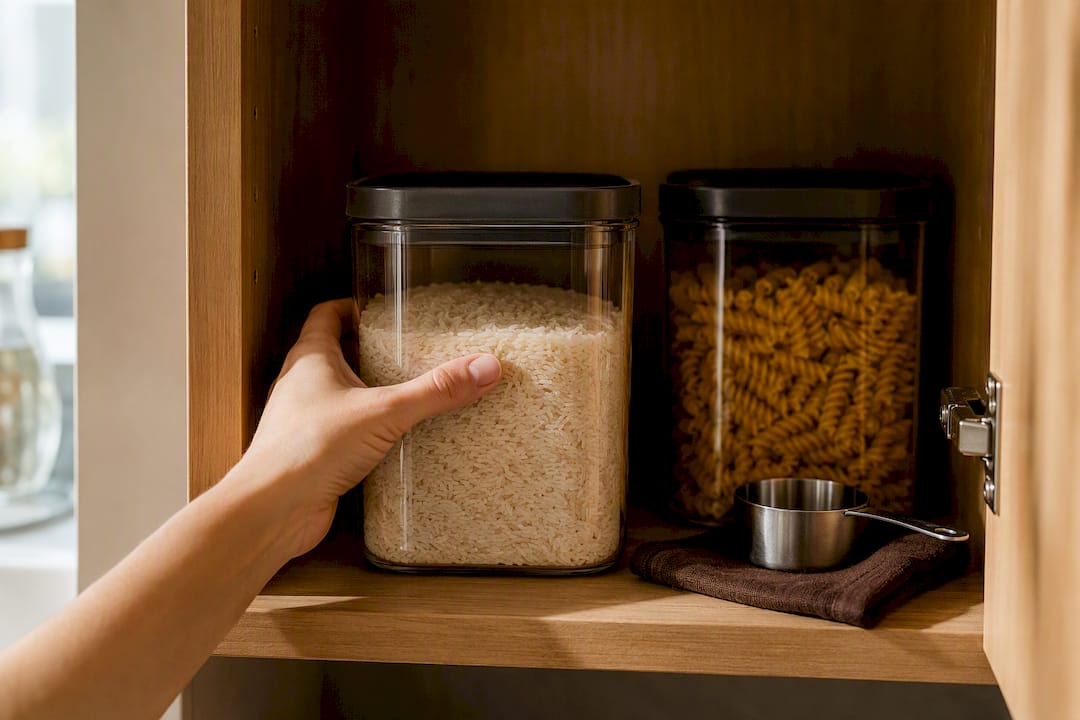
Pro Tip: Set a lower threshold for anything you buy in bulk. Rice and pasta rarely run out mid-week, so a weekly nag to “buy rice” just trains you to ignore the list.
Which Integrations Make Grocery Automation Easier?
A few small connections do most of the heavy lifting once your core list is running.
- Voice assistants: phrase quick-adds consistently (“add milk to groceries”) so the assistant routes to the same list every time instead of creating duplicates.
- Receipt and barcode scanning: feeds pantry data back into the system automatically, which is what keeps reorder triggers accurate over time.
- Store-aware sorting: matches your list to the specific layout of the store you’re visiting, cutting backtracking during the trip.
- Calendar sync: schedules your shopping run against your actual meal-plan week instead of leaving it to memory.
Real-time syncing across every household member’s phone is arguably the highest-leverage feature here, since it’s what stops two people from buying the same eggs on the same day. Before connecting any voice assistant or third-party app to your grocery data, check what it shares with advertisers. Not every free app treats your shopping habits as private.
Why Do Grocery List Automations Break, and How Do You Fix Them?
Most automation failures trace back to a handful of repeat offenders.
- Mismatched units or synonyms (“scallion” vs. “green onion”) cause duplicate lines. Fix it by mapping synonyms once, early, rather than patching each mistake as it appears.
- Sync failures usually mean a permissions issue or a logged-out account on one device. Check account status and app permissions first before assuming the automation itself is broken.
- Silent parsing errors creep in over time. Run a manual spot-check every couple of weeks even on a system that’s been running fine.
- If you’re rebuilding the same fix repeatedly, that’s the signal to stop patching a DIY setup and move to an app that handles parsing and syncing natively.
Keeping parsing rules simple and mapping synonyms early prevents most of this cascade before it starts, which is exactly why DIY automation guides stress starting minimal. Broader operational habits, like the routine audit steps in this shopping automation checklist, also help catch problems before they compound.
What Tools Does Homecooked Offer for Automated Grocery Lists?
Homecooked builds automated grocery lists directly from your personalized meal plan, so there’s no separate parsing step to manage.
- Meal plans generate a shopping list automatically the moment you accept them for the week.
- Pantry sync checks what you already own before adding anything new to the list.
- Household sharing keeps everyone’s list updated in real time, the same principle that makes shared syncing so valuable in any automation setup.
- Printable options exist for cooks who want a paper backup, like the 7 day meal plan grocery list guide.
Pair that with a steady weekly meal planning habit and the list stays accurate with almost no manual cleanup.
Is the DIY Path Actually Worth It for Most Home Cooks?
Here’s the uncomfortable truth about grocery list automation: the DIY paths get all the attention online because they’re interesting to build, not because they’re the best use of a home cook’s Sunday afternoon. A Trello and Lambda pipeline is genuinely clever engineering. It’s also overkill for someone who just wants dinner sorted for the week without babysitting a parser every time a recipe uses “scallions” instead of “green onions.”
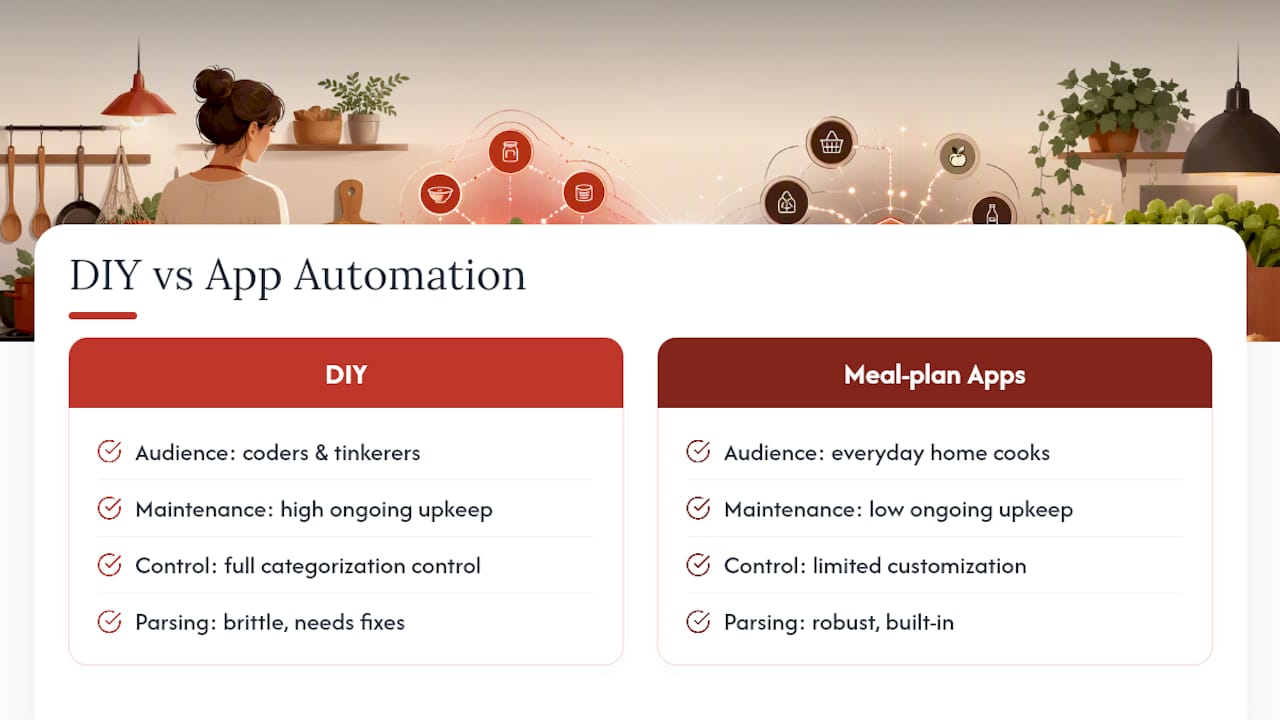
The conventional advice treats automation as an either/or choice between “real” technical setups and “lazy” app shortcuts. That framing gets it backward. The right question isn’t which method is more sophisticated. It’s which method matches how much maintenance you’re willing to do forever, not just once. Cooklang and Trello pipelines are excellent for people who already think in code and want total control over categorization logic. Everyone else is better served starting with a meal-plan app that handles pantry checks and list generation without asking for upkeep.
Prioritize pantry syncing before anything else, regardless of which path you pick. A perfectly parsed list that ignores what’s already in your fridge just automates waste faster.
— 0xmaglev
Ready to Put Your Grocery List on Autopilot?
Homecooked turns your meal plan into a shopping list the moment you build it, no parsing, spreadsheets, or Zapier triggers required. It checks your pantry first, sorts what’s left by category, and keeps the list synced across everyone in your household in real time, which is the exact workflow this guide just walked through, minus the setup afternoon.
If you want to see the flow in action before committing to anything, open a sample recipe like the bibimbap recipe and watch how its ingredients feed straight into a generated list. From there, starting a free trial takes less time than writing a grocery list by hand.