
Yes, monthly meal planning cuts nightly decision-making and lets you shop less while feeding your family with real variety. Instead of standing in front of the fridge at 5:30 p.m. wondering what’s for dinner, you make that decision once, at the start of the month, and coast on autopilot for the next four weeks.
You can build a working draft in about 20 minutes. Start here:
- Gather five to ten recipes your family already loves.
- Block out “no-brainer” nights (taco night, breakfast for dinner) that need zero thought.
- Fill the rest of the calendar with favorites and one or two new recipes.
- Write a base grocery list from what those meals require.
An app like Homecooked can take over the busywork, turning your calendar into an automated shopping list, but the method above works with nothing more than a notepad and a fridge magnet.
Table of Contents
- Why Monthly Meal Planning Often Beats Weekly Planning
- Step-by-Step Monthly Meal Planning Checklist
- Building a Base Grocery List for Your Monthly Shop
- Rotation and Leftover Tactics That Keep the Month Simple
- Templates, Tools, and Automation for Monthly Planning
- How to Stick to the Plan Without Falling Off It
- A Sample Monthly Menu You Can Copy
- What Actually Matters in a Monthly System
- Try Homecooked for Your Next Month of Meals
- Sources
Why Monthly Meal Planning Often Beats Weekly Planning
Weekly planning means making the same decision fifty-two times a year. Monthly planning means making it twelve times. That difference alone explains why so many parents who switch never go back.
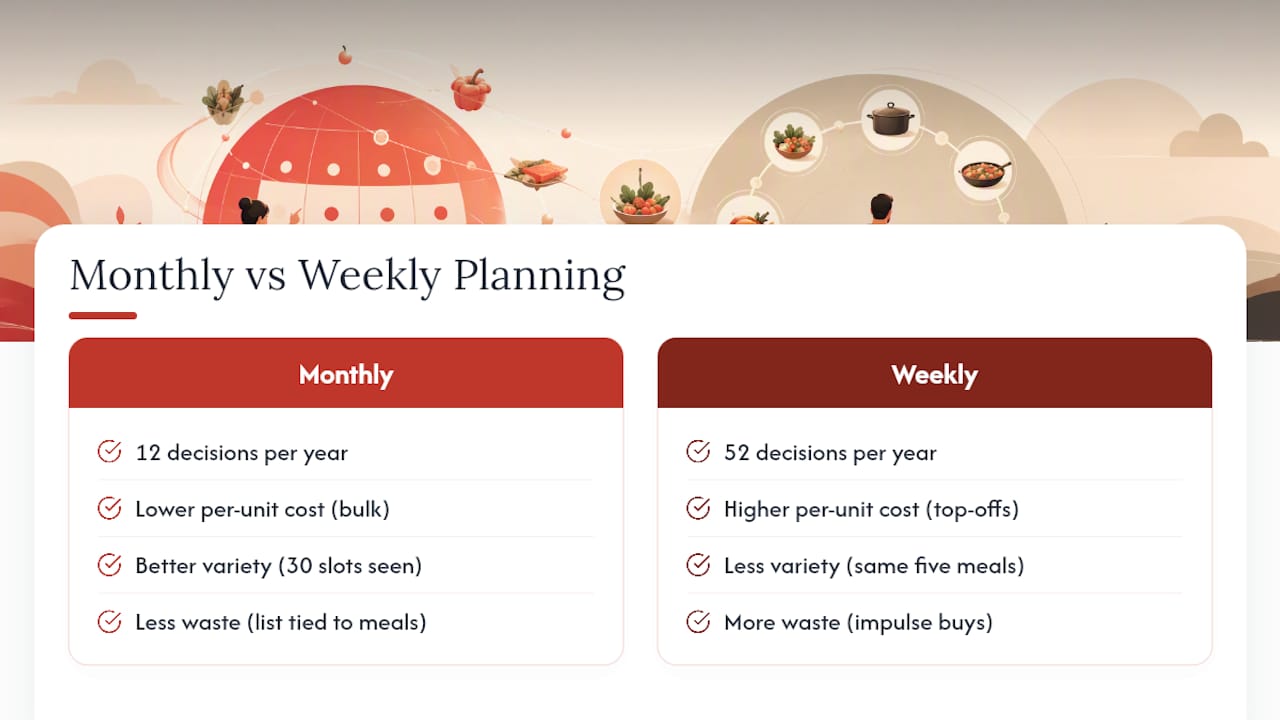
Buying in bulk once a month, rather than topping off weekly, tends to lower your per-unit grocery costs on staples like rice, chicken thighs, and canned goods. You also get better variety, oddly enough, because seeing 30 dinner slots at once pushes you to mix things up instead of defaulting to the same five meals out of sheer weekly fatigue. Waste drops too, since you’re shopping against a real list tied to real meals rather than grabbing whatever looks good and hoping it turns into dinner.
Monthly planning isn’t universal, though. If your family doesn’t have reliable freezer space, or your work schedule shifts week to week with no pattern, a rigid 30-day grid will fight you. The fix isn’t abandoning the system, it’s loosening it: plan the meals but not the exact dates, then slot them in as the week actually unfolds.
The habit sticks better with the right support system. Meal-planning apps that sync your calendar to your shopping list reduce the friction that makes most plans fall apart by week two, since the tool builds your list for you instead of leaving it to memory.
Step-by-Step Monthly Meal Planning Checklist
Before you sit down to plan, gather four things: a blank calendar (paper, spreadsheet, or app), your go-to recipes, a quick pantry inventory, and any cookbooks or saved recipe boards you actually cook from. Having everything in one spot turns planning from a scattered hunt into a 20-minute sit-down.
Here’s the process that works, borrowed from the way efficient monthly planners approach a full month in minutes:
- Write the dates. Print or sketch a grid for all 30 or 31 days, even if you only plan dinners.
- Fill in your no-brainers first. These are the meals your family eats without complaint and you can make half-asleep. Slot them into multiple nights across the month.
- Add your true favorites. Pick another eight to ten recipes you know work, and spread them out so you’re not eating pasta three times in one week.
- Layer in one or two new recipes. Monthly planning gives you room to experiment because the rest of the month is already handled.
- Flag your busiest nights. Look at your actual calendar, sports practice, late meetings, and assign only the fastest meals to those slots.
- Mark batch-cooking days. Pick one or two days early in the month for cooking a whole chicken, a double batch of chili, or two casseroles instead of one.
- Decide what freezes and label it. Portion the extra batch into freezer bags or containers with the date and contents written on top.
Deciding what counts as a “no-brainer” night is personal. It’s whatever your family eats without a fight and you can make with your eyes half closed, think sheet-pan sausage and veggies, or breakfast-for-dinner. Research on family monthly menus shows many parents deliberately reserve six to eight repeat meals to cover roughly a quarter of the month, which frees up mental energy for the slots that actually need thought without specifying a precise number.
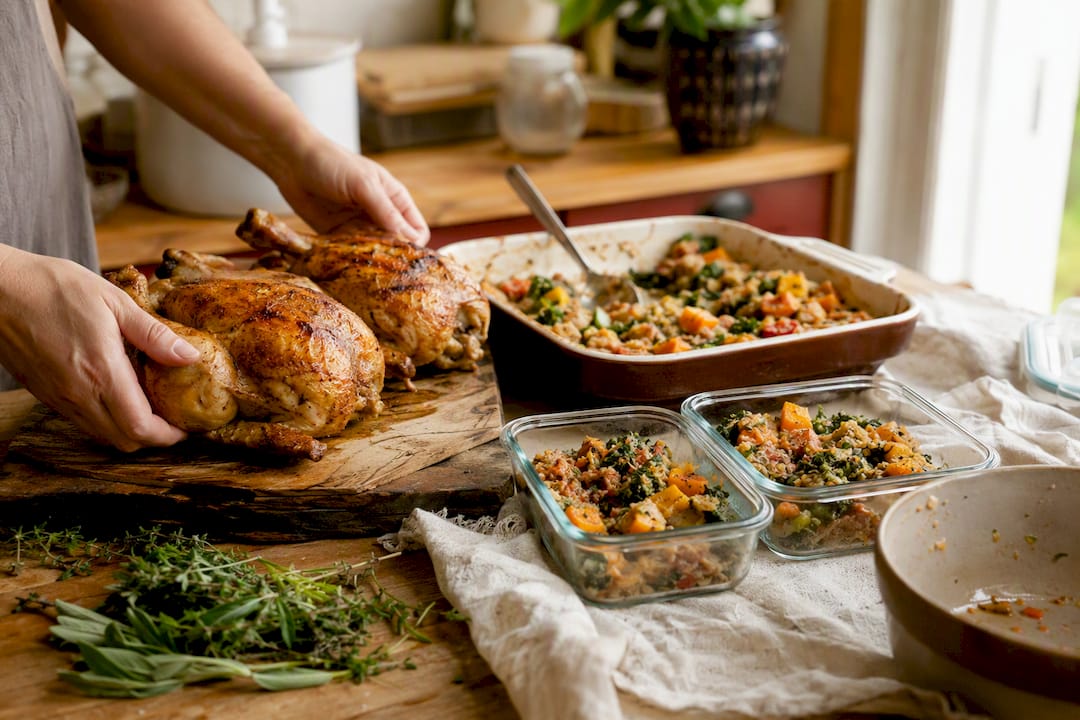
Batch cooking works best early in the month, while your energy and motivation are both fresh. Double a casserole, roast two chickens instead of one, or make a triple batch of soup. Freeze the extra portions in labeled, dated containers so they land in weeks two and three of your calendar, right when the “I forgot to plan for tonight” moments tend to strike.
Pro Tip: Keep last month’s completed calendar. Next month, copy it over, swap out two or three meals for variety, and adjust for any schedule changes. You’ll cut your planning time in half after the first cycle.
Building a Base Grocery List for Your Monthly Shop
The single biggest shift that makes monthly planning work is starting from a base grocery list rather than building your list from scratch every time. A base list is your recurring set of pantry staples, freezer proteins, and long-life items that show up in your rotation month after month.
Your base list should cover:
- Pantry staples: rice, pasta, canned tomatoes, beans, broth, and cooking oils.
- Freezer proteins: chicken thighs, ground beef, and a couple of bags of shrimp or fish.
- Long-life dairy and eggs: shelf-stable milk, cheese, butter, and a flat of eggs.
- Condiments and seasonings: soy sauce, salsa, taco seasoning, whatever your family’s regular meals lean on.
Once that list is set, you layer in whatever’s seasonal or on sale that month, which keeps grocery bills predictable without locking you into the exact same meals every cycle.
Produce is the part most families get wrong, because fresh vegetables don’t survive a 30-day shopping cycle. The fix is dividing the month into thirds. Buy sturdy fresh produce, carrots, cabbage, potatoes, apples, for the first third of the month. Cook softer vegetables, like zucchini or spinach, into meals you’ll eat in the second third. Reserve frozen vegetables and fruit for the final third, when fresh produce has run its course anyway.
| Point | Details |
|---|---|
| First third | Buy hardy fresh produce (carrots, potatoes, cabbage) that holds up for two weeks. |
| Second third | Cook softer produce into meals early so it’s used before it spoils. |
| Final third | Lean on frozen vegetables and fruit once fresh stock is gone. |
A single weekly top-up trip, for milk, bread, and anything genuinely perishable, fills the gaps without turning into a second full grocery run. Label freezer containers with the date and contents so nothing turns into a mystery block three weeks later.
Rotation and Leftover Tactics That Keep the Month Simple
Theme nights are the fastest decision-fatigue killer in a monthly plan. Taco Tuesday, Pasta Friday, or Soup Sunday means you’re choosing a category instead of a specific recipe, and that’s a much smaller mental lift.

Cook-once, eat-twice is the other pillar. Roast a big tray of chicken thighs on Sunday, then use the leftovers in a stir-fry on Tuesday and a salad on Thursday. The same practical shortcuts that speed up monthly planning, theme nights, repeat meals, work because they turn “what’s for dinner” into a fill-in-the-blank instead of an open question.
A few placement rules make this run smoothly:
- Repeat your two or three most-loved meals every single month; familiarity is not boring, it’s efficient.
- Place your batch-cooked protein into at least two other meals that same week before it goes stale in the fridge.
- Reserve one or two dinner slots per week specifically for leftovers or a pull-from-the-freezer meal, and mark them on the calendar so they don’t get skipped.
- Rotate your theme nights every few months if the family starts groaning, swap Taco Tuesday for Stir-Fry Tuesday and keep the structure.
None of this requires new recipes. It requires deciding, once, how your existing recipes get reused, and then trusting the system enough to stop reinventing it every week.
Templates, Tools, and Automation for Monthly Planning
A printable monthly calendar taped to the fridge is still one of the most effective tools out there, mostly because everyone in the house can see it without opening an app. A simple spreadsheet works just as well if you’d rather keep everything digital and searchable.
Where digital tools genuinely pull ahead is the shopping list. Apps that sync your pantry inventory to your shopping list remove the step where you manually cross-reference recipes against what’s already in your cupboard, which is usually where monthly plans quietly fall apart.
The habit that keeps a monthly plan alive isn’t willpower, it’s friction removal. When the calendar, the recipes, and the shopping list all talk to each other automatically, there’s nothing left to forget.
This is exactly the gap Homecooked is built to close. Set your household’s dietary preferences and goals once, and the app slots recipes into your calendar, builds a grocery list that syncs to your meal plan, and tracks your pantry so items you already own don’t end up on the list twice. A quick setup inside the app looks like this:
- Add your favorite recipes and a few new ones you want to try.
- Set your no-brainer nights so they auto-fill first.
- Let the app generate your base grocery list from the month’s calendar.
- Check pantry tracking before each shop to skip items you already have.
How to Stick to the Plan Without Falling Off It
Every monthly plan gets tested by real life, a late meeting, a sick kid, a night nobody wants to cook. Building in slack up front is what keeps the whole month from unraveling.
- Schedule at least two off nights per month. Mark them as takeout, leftovers, or “whatever’s easiest,” so skipping cooking isn’t a failure, it’s the plan.
- Set a simple swap rule. Trade like for like: chicken for chicken, a 20-minute meal for another 20-minute meal. This keeps your grocery list intact even when the calendar shifts.
- Keep rescue meals on the base list. Pasta plus canned tomatoes, or a bag of frozen stir-fry mix, should always be in the house for the nights everything else falls apart.
Pro Tip: Keep two rescue meals stocked at all times, not just for emergencies, but so you never feel like you have to skip cooking and order out just because the plan slipped.
A plan built to bend a little survives a lot longer than a plan that expects perfection.
A Sample Monthly Menu You Can Copy
Here’s a four-week snapshot showing how the whole system fits together, with notes on what freezes, what reuses ingredients, and what’s brand new.
To turn this into weekly shopping, pull only the ingredients for that week’s fresh meals, since the batch-cooked and frozen meals are already covered by your base list. Week one needs a whole chicken and taco fixings; week three needs whatever the bibimbap recipe calls for, plus rescue-meal staples you already have on hand.
- Vegetarian swap: replace roast chicken with a lentil roast, and swap taco night for black bean tacos.
- Low-sodium swap: use no-salt-added canned tomatoes and skip pre-seasoned taco mixes in favor of your own blend.
- New recipe slots: save these for weeks two and three, once the no-brainer nights have proven the rest of the calendar works.
The most important claim of this article is that a repeatable monthly system beats weekly decision-making by turning food choices into a once-a-month task instead of a nightly one.
| Point | Details |
|---|---|
| Plan once, reuse monthly | Copy last month’s calendar and swap two or three meals instead of starting over. |
| Reserve no-brainer nights | Set aside six to eight repeat meals to cover roughly a quarter of the month. |
| Divide produce into thirds | Buy fresh, cook soft produce, then rely on frozen as the month progresses. |
| Build in slack | Schedule two off nights and keep rescue meals stocked for when plans slip. |
| Automate the busywork | Homecooked turns your calendar into a synced shopping list and tracks your pantry automatically. |
What Actually Matters in a Monthly System
Most advice on this topic treats meal planning like a personality trait: some people are “planners” and some aren’t. That framing is wrong. Monthly planning isn’t about discipline, it’s about reducing the number of times you have to make the same decision. Weekly planners aren’t failing at willpower, they’re just making 52 decisions instead of 12.
The overrated piece of conventional wisdom is variety for its own sake. Families don’t need 30 different dinners a month, they need six to eight reliable ones repeated on purpose, with two or three new recipes layered in when there’s room. Chasing novelty every night is what burns people out of meal planning by the third week.
If you take one thing from this system, prioritize the base grocery list before anything else. It’s the piece that makes the produce-thirds strategy and the no-brainer rotation actually workable, because you’re not reinventing your pantry every month. Get that list right, and the rest of the calendar mostly fills itself in. This is precisely the workflow Homecooked was built to carry for you, calendar to list to pantry, without the manual cross-referencing that sinks most monthly attempts.
— 0xmaglev
Try Homecooked for Your Next Month of Meals
Homecooked replaces the spreadsheet-and-sticky-notes approach with an app that builds your monthly calendar, generates a synced grocery list, and tracks your pantry so you’re not buying rice you already have three cans of.
If you’ve read this far, you already know the pieces: a base grocery list, no-brainer nights, batch cooking early, and freezer meals for the back half of the month. Homecooked takes those same pieces and automates the parts that eat up your Sunday afternoon, matching recipes to your household’s health goals and dietary preferences, then turning your picks into a shopping list that’s grouped and ready to go. Step-by-step guided recipes with built-in timers mean the batch-cooking day from your calendar doesn’t require you to babysit three dishes at once.
Try building your first month’s calendar inside Homecooked and let the app generate your base grocery list for you. Start a free trial today and see whether next month’s planning takes 20 minutes instead of two hours.
Sources
- 6 meal-planning apps to simplify cooking and cut food waste – Conserve Food (2025-07-02)
- The base grocery list I start with every month (Dinner at the McGills)
- Monthly Meal Plan: Planning a Month of Family Meals in Minutes – Life With Less Mess