
Pick one fast entry method today, either a barcode scan, a receipt photo, or plain tape and a marker, and set a simple alert for three days before something turns. Then do the one thing most people skip: match your “expiring soon” list to this week’s actual meals, not a someday list. Shelf-life defaults from USDA FoodKeeper give you a safe starting point, and an app like Homecooked can turn that list straight into dinner.
TL;DR:
- Using tiered alerts three days before expiration helps prioritize urgent foods and prevents them from being overlooked.
- Entry methods like barcode scanning, receipt photos, and label confirmation speed up tracking and improve accuracy for expiring food.
- Separating inventory by location and running weekly sweeps ensures older items are used first and reduces household food waste.
- Linking expiration tracking with meal planning encourages cooking with near-expiry ingredients, decreasing spoilage and unnecessary shopping.
- Household sharing and location-specific alerts improve coordination and accountability among multiple cooks or storage areas.
Table of Contents
- How Do You Track Food Expiration With an App?
- Quick Low-Tech Methods That Still Work
- How to Combine Tracking With Your Meal Plan
- Managing Shared Households and Multiple Locations
- How Homecooked Helps You Use Food Before It Spoils
- What Actually Makes a Tracking Habit Stick
- Try Homecooked for Meal Plans That Use What You Already Have
- Sources
- FAQ
How Do You Track Food Expiration With an App?
The right app should save you time on entry, not add another chore to your day. Before you commit to one, run it through this quick checklist.
- Entry speed matters most. Look for barcode scanning, receipt photo capture, or camera OCR that reads a label in seconds instead of typing every item by hand. AI vision tools have made this nearly instant, though accuracy still dips on faded or curved labels, so a good app lets you confirm or fix the parsed date before it saves.
- Check where the expiry dates come from. Solid apps default to public datasets like FoodKeeper or Cooperative Extension shelf-life tables, rather than guessing, and still let you override the date when you know better.
- Alert flexibility beats a single reminder. You want tiered thresholds, three days out, one day out, day of, so urgent items rise to the top instead of getting buried in a flat list.
- Views by location save real time. A fridge tab, a freezer tab, and a pantry tab sorted by urgency beat one giant scroll of everything you own.
- Household sync and privacy controls. If anyone else shops or cooks, the app needs shared access with sane permissions, plus an offline mode for when you’re standing in a spotty basement pantry.
Pro Tip: Test any app on your messiest shelf first, the one with unlabeled leftovers and half-empty containers. If it handles that mess in under two minutes, it’ll handle the easy stuff without a fight.
Quick Low-Tech Methods That Still Work
Not every kitchen needs an app, and a strip of tape can outperform a phone you forget to open. These low-tech habits work as a standalone system or as a backup layer under any app.
- Label the moment you open something. Write the open date, not the purchase date, on tape stuck to the lid of sauces, dairy, and leftovers, since “opened” is what actually starts the safety clock for most refrigerated foods.
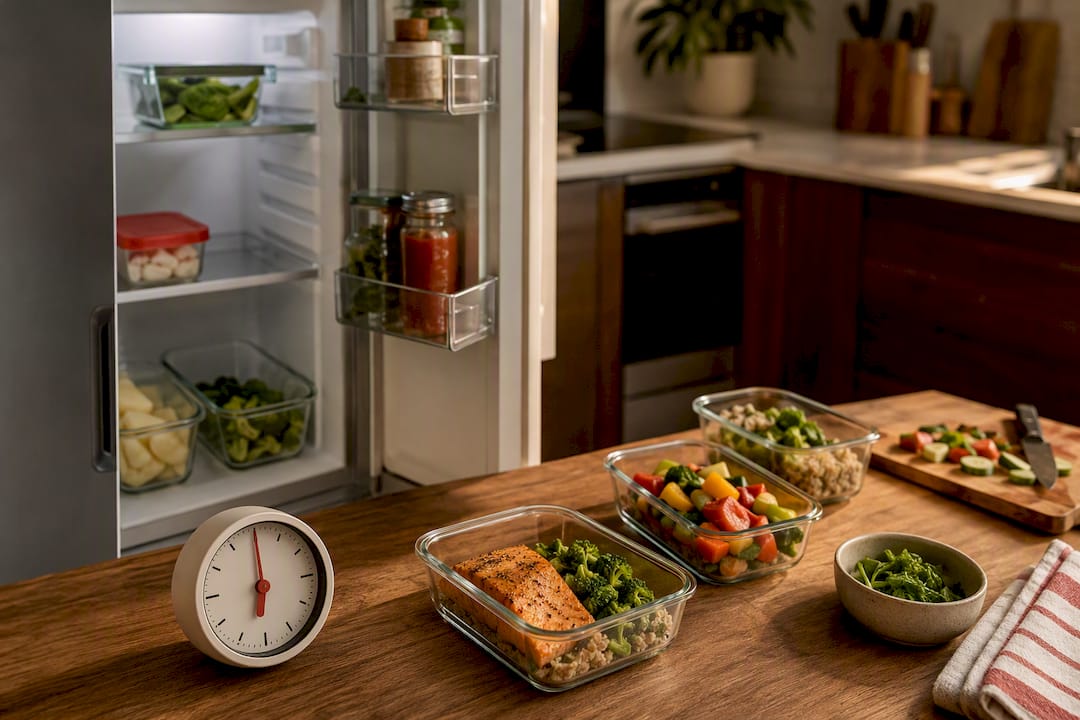
- Build a use-first shelf. Dedicate one shelf, usually eye level in the fridge, to items closest to their limit, and physically move new groceries to the back so older stock never hides behind fresh stock.
- Color-code urgency with dot stickers. Red for eat this week, yellow for eat soon, green for just stocked, gives your whole household a glance-and-go system without reading a single label.
- Run a five-minute weekly sweep. Pick one day, scan every shelf, and pull anything nearing its limit into that week’s meal plan before you write your next grocery list.
This combination costs less than $5 in supplies and takes about as long to set up as unloading one grocery trip.
How to Combine Tracking With Your Meal Plan
Tracking only pays off when it changes what lands on your plate, so treat entry and menu planning as one continuous workflow instead of two separate chores.
- Capture items at the door. Scan the receipt, snap the barcode, or photograph fresh produce as you unpack groceries, and accept the app’s suggested expiry unless you know the item was already a few days old at purchase.
- Run a daily or weekly “expiring soon” review. Open that sorted list and assign each item to a specific meal slot in the next few days rather than a vague intention to “use it up.”
- Mark items used or discarded right away. This keeps your inventory honest and sharpens the app’s future defaults for that item, a small habit with a compounding payoff.
- Check alerts before you shop again. Glance at what’s still on hand before adding anything to your cart, since duplicate buying is one of the quiet drivers behind avoidable household food waste.
Pro Tip: Pair your expiring-items list with a resource like recipes built around what you already have so you’re never stuck staring at three lonely carrots wondering what to do with them.
A weekly “sweep and plan” habit like this is one of the most consistently recommended patterns in household food-waste guides, largely because it requires no new skill, just a fixed appointment with your own fridge.
Managing Shared Households and Multiple Locations
More than one cook in the kitchen usually means more than one blind spot in the inventory, so a shared system needs a few ground rules.
- Turn on household sharing in your app and assign a simple rule: whoever finishes an item marks it used, no exceptions.
- Split inventories by location, main fridge, chest freezer, pantry shelf, or a second fridge in the garage, so alerts point people to the right door.
- Route alerts to whoever actually cooks that meal, not every household member for every item, or the notifications get muted within a week.
- Use one-tap “used” and “discard” buttons instead of multi-step forms; friction is exactly what makes shared systems fall apart after the first month.
Getting this right matters more than it sounds. Household food waste carries real financial weight, and UNEP’s global food-waste data makes clear that the losses stack up well beyond any single kitchen.
How Homecooked Helps You Use Food Before It Spoils
Tracking an expiration date only solves half the problem. The other half is knowing what to cook with what’s about to turn, and that’s where pantry-aware meal planning earns its place.
- Homecooked ties your pantry list directly to your meal plan, so items nearing their limit surface automatically as recipe candidates instead of getting rediscovered a week too late.
- Some apps offer smart grocery lists that check what you already have before adding anything new, cutting down on the duplicate purchases that quietly pad most grocery bills.
- Freezer planning support can help you cook once and eat twice, which matters since cooked leftovers spoil faster than most people expect.
- Ingredient-based recipe searches can turn a fridge full of odds and ends into a real dinner plan in minutes, rather than a guessing game.
What Actually Makes a Tracking Habit Stick
Most tracking systems fail for one boring reason: too many fields to fill in before you’re allowed to close the app. Every extra tap between opening the app and logging an item is a chance for the whole habit to quietly die by week two.
Start with one shelf or one entry method, just the fridge, just barcode scanning, and let it become automatic before adding freezer or pantry tracking on top. The households that actually cut waste aren’t the ones with the fanciest app. They’re the ones who glance at their “expiring soon” list before writing next week’s dinner plan, every single time, without thinking about it.
— 0xmaglev
Try Homecooked for Meal Plans That Use What You Already Have
Some apps offer an alternative to juggling separate tracking, grocery list, and meal-planning tools by building all three into one workflow, so vegetables sitting in your crisper have a better chance of becoming tonight’s dinner instead of tomorrow’s trash.
Start a trial and connect your pantry to a real meal plan. If you’ve got half a cabbage and some leftover rice staring at you, recipes like bibimbap can turn that exact combination into dinner in under 30 minutes. Got produce that’s about to turn? A cottage cheese protein bowl is a fast, protein-forward way to use it before it wilts.
Sources
Safety guidance on leftovers and discard timing comes from FSIS. Waste-reduction context comes from NRDC’s household food-waste report and the UNEP Food Waste Index. Searchable shelf-life estimates live in USDA’s FoodKeeper database.
FAQ
Is There an App That Tracks Food Expiration Dates?
Yes. Several apps let you scan a barcode, photograph a receipt, or snap a picture of a label to log expiration dates automatically, and platforms like Homecooked go further by turning those near-expiry items into ready-to-cook meal suggestions.
How Can I Check the Expiration Date of Food?
Check the printed date on the package first, then cross-reference it against a public shelf-life resource like USDA FoodKeeper if the label seems vague or missing, since printed dates are quality estimates, not strict safety cutoffs for most shelf-stable foods.
How Do I Track Expiration Dates Without an App?
Label items with the date you opened them using tape and a marker, keep a dedicated “use-first” shelf in your fridge, and run a five-minute weekly sweep to catch anything close to its limit before you plan your next round of meals.
How Long Is Food Safe to Eat After the Expiration Date?
It depends entirely on the food and how it was stored. FSIS guidance recommends most refrigerated leftovers be eaten within three to four days, and any food showing off odors, texture changes, or visible mold should be discarded regardless of what the printed date says.