Most shared grocery list apps make the same mistake: before anyone can add a single item, they have to download an app and create an account. Homecooked’s shared list skips all of that — you make a list, send a link, and anyone can use it, free, on any phone. Here’s how it compares to the popular apps.
Whether you call it a shared grocery list or a shared shopping list, the choices are the same: a handful of dedicated apps, the note apps built into your phone, and a free web list you share by link. This guide compares all of them, with the free tiers, sharing limits, and prices verified for 2026.
Shared grocery list apps compared
| App | No download? | No account? | Free to share | iPhone + Android? | Ads |
|---|---|---|---|---|---|
| Homecooked Shared Lists Best | Yes | Yes | Yes, no cap | Yes | None |
| AnyList | No | No | Yes, no cap | Yes | None |
| OurGroceries | No | No | Yes, no cap | Yes | Yes |
| Bring! | No | No | Yes | Yes | Yes |
| Listonic | No | Link-share only | Yes | Yes | Yes |
| Cozi | No | No | Up to 12 | Yes | Yes |
| Apple Reminders | Built-in | No (Apple ID) | Yes | No — Apple only | None |
| Google Keep | Built-in | No (Google) | Yes | Yes | None |
| Out of Milk | No | No | Yes | Yes | Yes |
Homecooked is the only option that needs no download and no account from anyone, shares with no cap, works on every phone, and shows no ads.
Homecooked Shared Lists — the easiest way to share
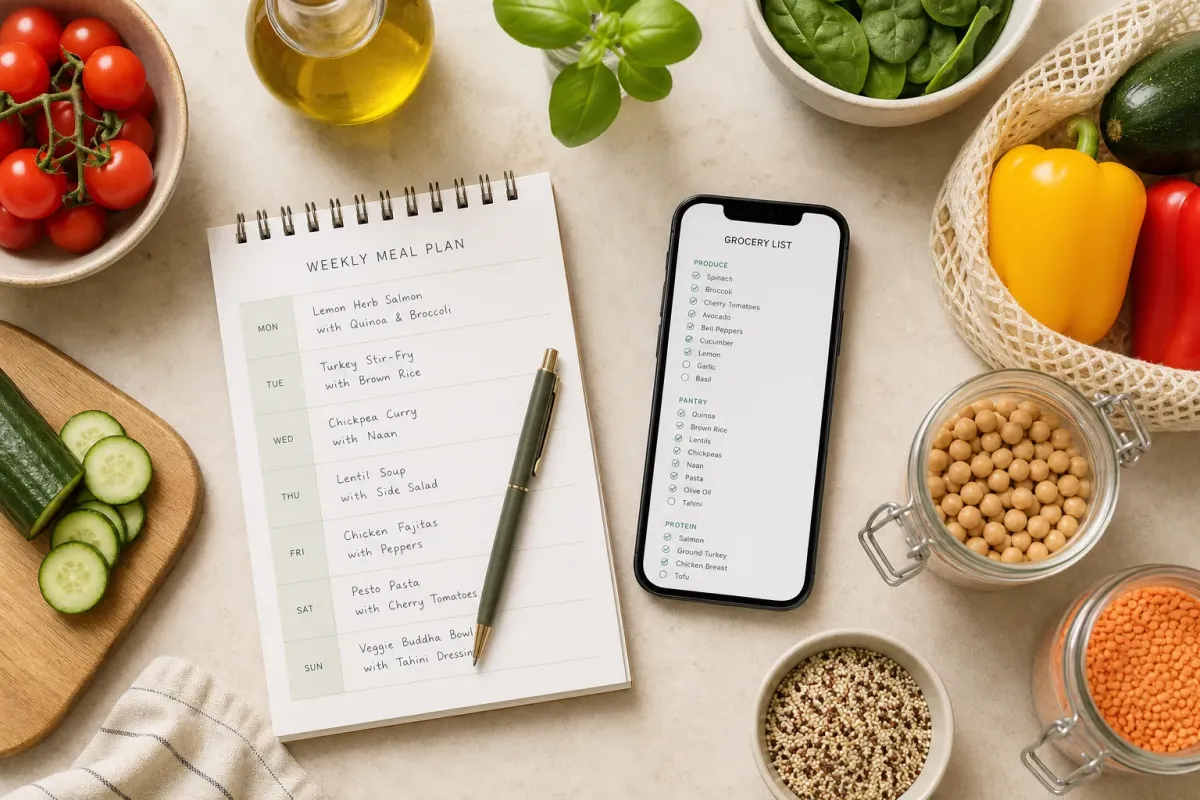
Homecooked’s shared list is a free web page you share with a link. Add your items, send the link, and your partner, family, or roommates open it and edit the same list — nothing to install and no account to create, on either end. It runs in a browser, so an iPhone and an Android use the exact same list, there are no ads, and there’s no cap on how many people you share it with.
The other shared grocery list apps
Here’s what each of the popular apps is and how it handles sharing.
- AnyList — a dedicated grocery and recipe app for iPhone and Android. Free sharing with no cap and automatic aisle sorting; recipe import, meal-plan calendars, and web/desktop access are part of its paid tier. Requires the app and an account.
- OurGroceries — a shopping-list app with real-time sync across a household and uncapped free sharing. The free tier is ad-supported; a one-time purchase removes ads. Requires the app and an account.
- Bring! — a shopping-list app known for its design, with recipe inspiration and one-tap ingredient adding. Free with ads; paid tier removes them. Requires the app and an account.
- Listonic — a smart shopping list with auto-categorised aisles and a link-share that works without an account. Free tier is ad-supported. Available on iPhone, Android, and web.
- Cozi — a family organiser built around a shared calendar, with grocery lists and recipes alongside. Shares with up to 12 family members; free tier is ad-supported, with paid Gold and Max tiers. Requires an account.
- Apple Reminders — built into Apple devices, with a Groceries list type and real-time sharing. Works only between Apple accounts and devices, so it can’t include anyone on Android.
- Google Keep — Google’s note-taking app, which shares checklists across iPhone and Android. Everyone needs a Google account. It’s a general notes app rather than a dedicated grocery list.
- Out of Milk — a shopping-list app with pantry tracking and barcode scanning. Free with ads; requires the app and an account.
Detailed breakdown: free vs paid, sharing, and limits
The quick list above covers what each app is. Here’s the detail that actually decides which one you’ll stick with — what the free tier gives you, what you pay to remove ads or unlock features, and where each one is limited.
Homecooked Shared Lists Best pick
- Free vs paid
- Free, with no ads and no paid tier.
- Sharing
- Create a list, send the link, and anyone opens it in a browser and edits — no download and no account for you or anyone you share with. No cap on how many people.
- Platforms
- Any device with a browser — iPhone, Android, tablet, or computer, all on the same list.
- Best for
- Mixed iPhone/Android households, and anyone who wants the shortest path to a shared list without asking people to install or sign up for anything.
OurGroceries
- Free vs paid
- Free tier does everything — full list sharing, real-time sync, unlimited people — but is ad-supported. A one-time purchase of about $20 removes ads for you and everyone you share with (no subscription).
- Sharing
- Everyone installs the app and joins through their own account.
- Platforms
- iPhone, Android, web, and Alexa.
- Best for
- Households that want a reliable dedicated grocery app with real-time sync and don’t mind a one-off payment to lose the ads.
AnyList
- Free vs paid
- Free tier creates and shares grocery lists; recipe import is capped on free. AnyList Complete is $9.99/year individual or $14.99/year household, unlocking full recipe import, meal-plan calendars, and web/desktop.
- Sharing
- Everyone installs the app and signs in with their own account.
- Platforms
- iPhone, Android, web/desktop.
- Best for
- Households that cook from recipes and want planning and lists in one dedicated app.
Bring!
- Free vs paid
- Free with ads; supports multiple shared lists and recipe inspiration. Premium removes ads at $1.99/month or $8.99/year.
- Sharing
- Everyone installs the app and joins with an account.
- Platforms
- iPhone and Android.
- Best for
- People who value design and ingredient discovery; popular across the UK and Europe.
Listonic
- Free vs paid
- Free tier auto-sorts items by aisle and is ad-supported; premium removes ads and adds features.
- Sharing
- A link-share lets collaborators join without creating their own account — lower friction than most apps here, though you still install the app to start a list.
- Platforms
- iPhone, Android, web.
- Best for
- Households that want automatic aisle sorting with a relatively low-friction share.
Cozi
- Free vs paid
- Free tier includes a shared calendar, grocery lists, and recipes, and is ad-supported; the calendar is limited to 30 days ahead. Cozi Gold is $39/year (removes ads, lifts the calendar limit); Cozi Max is $79.99/year (adds AI planning and import features).
- Sharing
- Shares with up to 12 family members, each with an account.
- Platforms
- iPhone, Android, web.
- Best for
- Families who want a shared calendar and activity hub, with grocery lists alongside it.
Apple Reminders
- Free vs paid
- Free, built into Apple devices, no ads. Has a dedicated Groceries list type and real-time iCloud sharing.
- Sharing
- Share via iCloud — but only with other Apple accounts. There’s no way to include anyone on Android.
- Platforms
- Apple devices only.
- Best for
- All-Apple households that want zero new apps.
Google Keep
- Free vs paid
- Free, no ads, no paid tier. Shares checklists across iPhone and Android.
- Sharing
- Add collaborators by their Google account — everyone needs one.
- Platforms
- iPhone, Android, web.
- Best for
- Google-centric households that already use Keep for notes. It’s a general notes app, so there’s no aisle sorting or other grocery-specific features.
Out of Milk
- Free vs paid
- Free with ads; adds pantry tracking and barcode scanning.
- Sharing
- Everyone installs the app and joins with an account.
- Platforms
- iPhone and Android (now US and Canada only).
- Best for
- Households that want inventory tracking and barcode scanning — though development has slowed and some users report sync issues on shared lists.
Do you need an app to share a grocery list?
No — you don’t need to download an app to share a grocery list. A web-based list works entirely in a browser: you open a link, add items, and share that same link with anyone. The dedicated apps in this guide are worth it if you want extras like barcode scanning or a shared family calendar, but for the core job — one collaborative list everyone can edit — a shared link does it with no install and no sign-up.
This matters most when the people you’re sharing with aren’t on the same phone or aren’t going to bother installing anything. A partner, a roommate, an elderly parent, someone helping out for a week — with a free shared shopping list they just tap the link and start adding. There’s no account to create, so there’s nothing to stop them using it.
The bottom line
If you want the shortest path to a shared list — no download, no sign-up, no ads, on whatever phone everyone happens to own — Homecooked’s free shared grocery list is the best choice. If you want a dedicated app with extras and everyone’s willing to install and sign up, OurGroceries (free, one-time ad removal) and AnyList (recipe planning) are the strongest of the apps.
Frequently asked questions
What is the best shared grocery list app?
It depends on how much setup you’ll tolerate. For features, AnyList is the best all-round dedicated app and OurGroceries has the best free real-time sync. For the least friction — no download and no account for anyone — a free web-based list like Homecooked’s is the fastest way to share.
Is a shared shopping list app the same as a shared grocery list app?
Yes — they’re the same thing under two names. Every app in this guide works as both a shared shopping list app and a shared grocery list app, and a free web-based list like Homecooked’s covers either job: one list, a link, and everyone edits it.
Is there a free shared grocery list with no account required?
Yes. A web-based list you share by link needs no account for you or the people you share with — Homecooked’s works this way. Most dedicated apps (AnyList, OurGroceries, Bring!, Cozi) do require everyone to create an account, even on their free tiers.
Can family members add to the same grocery list?
Yes, with any shared-list option here. With a link-based list, everyone who has the link can add and check off items. With the apps, each family member installs the app and joins the shared list through their own account.
Do I have to pay for a shared grocery list app?
No. Several are free to share: Homecooked, AnyList, OurGroceries, Bring!, Apple Reminders, and Google Keep all allow sharing at no cost. Some (OurGroceries, Bring!, Listonic, Cozi) show ads on their free tier; Homecooked, AnyList, Reminders, and Keep don’t.
Which shared grocery list works across iPhone and Android?
Most do — AnyList, OurGroceries, Bring!, Listonic, Cozi, Google Keep, and a browser-based list all work across both. The main exception is Apple Reminders, which only works between Apple devices, so it can’t include anyone on Android.
What’s the best shared grocery list app for families?
For a features-rich family setup, Cozi (a shared calendar plus lists, up to 12 people) or OurGroceries (uncapped free sharing with real-time sync) are strong. For a family that just wants everyone on one list without installing anything, a free shared link avoids the “get everyone to download it” problem entirely.
Should I use a dedicated grocery app or a shared link?
Use a dedicated app if you want offline access, barcode scanning, aisle sorting, or instant push sync. Use a shared link if your priority is getting a list to someone quickly with no download, no account, and no ads. Many households find the link is enough for a weekly shop.
Related reading
- How to share a grocery list with a link — the free, no-download way, step by step.
- Share a grocery list with your partner — the two-person version.
- Family shopping list — get the whole household onto one list.
- Meal plan grocery list: a printable 7-day guide.