
What are the best AI meal planning apps right now?
The best AI meal planner for most people is Eat This Much if you need precise calorie and macro automation, PlateJoy or FoodiePrep if you want health-condition-aware personalization, and Samsung Food if you want a full-featured free starting point. The ten apps below cover every realistic use case, from family coordination to strict fitness diets.
Here’s how the top options compare across the dimensions that actually matter:
| App | Best For | Standout Features | Pricing |
|---|---|---|---|
| FoodiePrep | Macro-precise AI personalization | Advanced plan queue, health app sync, tailored weekly plans | Tiered subscription |
| Mealime | Busy professionals, beginner cooks | 30-minute recipes, minimal setup, clean UI | Free; Pro $2.99/month |
| Paprika 3 | Recipe collectors and hands-on planners | Web recipe import, offline access, calendar planning | $5.95/month or $49/year |
| Plan to Eat | Organized individuals who love manual curation | Photo recipe import, drag-and-drop calendar, family sharing | $5.95/month or $49/year |
| AnyList | Families and roommates sharing grocery lists | Voice entry, location reminders, shared list management | Free; Complete $9.99–$14.99/year |
| Eat This Much | Fitness enthusiasts with strict nutrition targets | Auto-generates full plans to exact macros, leftovers and budget features | Free (basic); $5–$15/month (premium) |
| PlateJoy | Health conditions and busy lifestyles | Deep dietary customization, grocery delivery partnerships | Subscription |
| Yummly | Recipe discovery plus planning in one place | Extensive recipe database, AI-driven recommendations, smart shopping lists | Free; Pro subscription |
| eMeals | Families wanting curated plans with delivery | Family-friendly diet variety, Instacart and Walmart integration | Subscription |
| Samsung Food | Budget-conscious users and new meal planners | Free recipe saving, nutrition info, optional AI planning | Free; Food+ $6.99/month or $59.99/year |
A few quick highlights before the deeper breakdown:
- Eat This Much is the only app that auto-generates a complete meal plan around your exact calorie and macro targets, with no manual recipe selection required.
- Paprika 3 and Plan to Eat are the strongest picks for people who already have a recipe collection and want a planning layer on top.
- AnyList wins on shared grocery coordination, with voice entry and location-based reminders that no other app matches.
- Samsung Food offers the most capable free tier, including nutrition data and manual meal planning at no cost.
- FoodiePrep and PlateJoy lead on AI-driven personalization depth, particularly for users with specific health goals or dietary restrictions.
Which app is the right fit for your specific situation?
The right tool depends almost entirely on what problem you’re actually trying to solve. Here’s a direct breakdown by use case.
For family meal planning with multiple tastes and dietary needs: eMeals covers the widest range of family-friendly diets and connects directly to grocery delivery through Instacart and Walmart. AnyList handles the coordination side, letting every household member update the shared list in real time. Family-focused AI meal planners that learn multiple preferences and generate inclusive grocery orders are increasingly the standard for busy households.
For precise calorie and macro targeting: Eat This Much is the clear answer. It’s the only app on this list that builds a full meal plan around your exact nutritional numbers automatically, with no manual recipe selection. Fitness users cutting, bulking, or managing a medical diet should start here.

For quick weeknight dinners with minimal effort: Mealime’s entire design philosophy centers on recipes that take 30 minutes or less. If you’re running low on time and energy by 6 PM, the app’s stripped-down interface gets you from “what’s for dinner” to a grocery list in under two minutes.
For recipe organization and hands-on planning: Plan to Eat wins on calendar flexibility and leftover scheduling. Paprika 3 wins on price and offline access. Both give you control over your own recipe collection rather than pushing you into a preset system.
For grocery list sharing and household coordination: AnyList is best-in-class. Voice entry, location reminders that ping you when you’re near the store, and real-time shared lists make it the strongest option for families and roommates who split shopping duties.
For budget-conscious users starting fresh: Samsung Food’s free tier includes recipe saving, manual meal planning, and shopping list generation. The Food+ upgrade at $6.99/month adds AI-powered meal plans and advanced nutrition tracking.
How these apps were evaluated
Every app in this comparison was assessed against the same set of criteria, applied consistently regardless of brand or popularity.
Personalization depth was the first filter. An app that generates a generic “healthy” plan without asking about your macros, allergies, or cooking time is not an AI meal planner in any meaningful sense. The strongest apps, like Eat This Much and FoodiePrep, build plans around specific numerical targets. Others, like Mealime, personalize by preference and time constraint rather than macro precision.
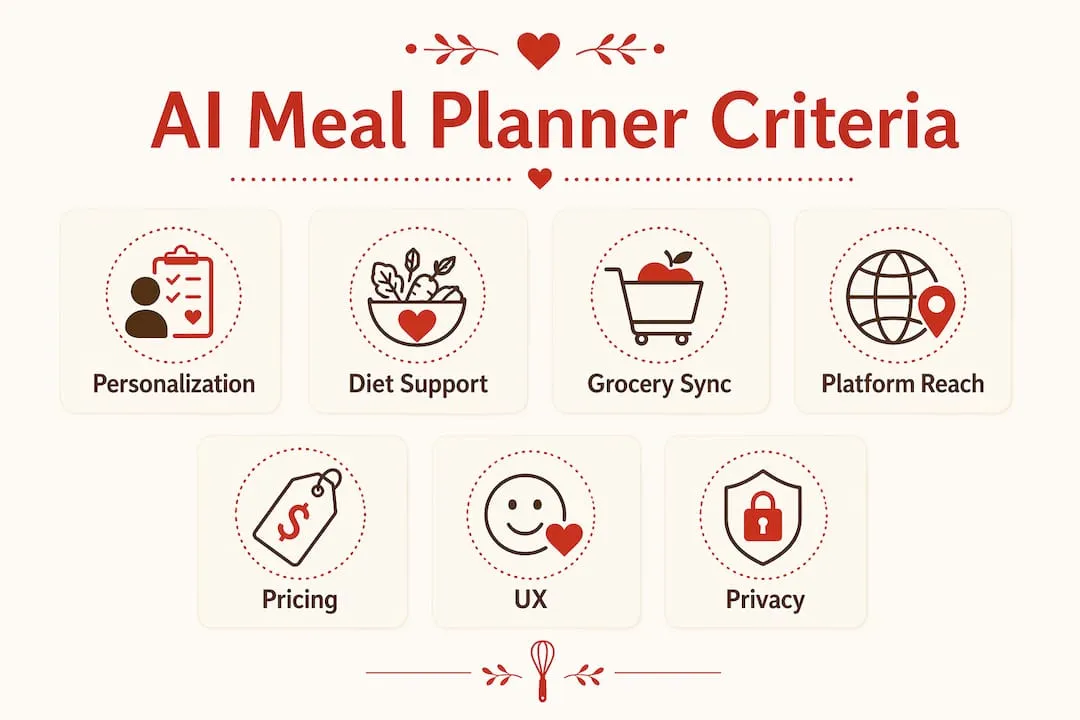
Diet and restriction support was evaluated by the range of dietary frameworks each app accommodates, including keto, vegan, Mediterranean, diabetic-friendly, gluten-free, and intermittent fasting protocols. Apps that apply a filter to a fixed recipe database scored lower than those that generate plans genuinely tailored to the diet.
Grocery integration covered two things: whether the app auto-generates a shopping list from the meal plan, and whether it connects to delivery services like Instacart, Walmart, or Amazon Fresh. Smart grocery list features that toggle between current and next-week plans, or organize items by store section, scored higher than basic list exports.
Platform availability was checked for iOS, Android, and web access. Apps that lock key features to a single platform were noted.
Pricing transparency was assessed by whether the app clearly states what each tier includes and what it costs. Subscription tiers vary broadly across this category, from free basic plans to premium tiers unlocking health syncing, household scaling, and advanced AI features.
User experience covered onboarding friction, interface clarity, and how quickly a new user can generate a usable meal plan. Apps requiring lengthy setup before delivering value scored lower.
Privacy and data handling was considered qualitatively, since most apps in this category collect dietary and health data. Apps that sync to Apple Health or Google Health Connect were noted for their data transparency.
Pro Tip: Before committing to a paid subscription, use every free trial available. Most apps in this list offer 7 to 14 days free. Run two or three trials simultaneously to compare how each app handles your specific dietary restrictions before paying.
Detailed profiles of the top AI meal planning apps
Eat This Much
Eat This Much is the most automated meal planner available in 2026. You set your calorie target, macro ratios, dietary preferences, and food dislikes, and the app generates a complete weekly plan without you selecting a single recipe. It handles leftovers, budget constraints, and grocery list creation automatically. The free tier covers basic daily plans; premium plans run $5–$15/month depending on billing cycle, with a 14-day free trial. A Pro version for dietitians and coaches starts at $49/month.
- Generates full meal plans to exact calorie and macro targets
- Handles leftovers and budget parameters automatically
- Automated grocery list included with every plan
- Free tier available; premium unlocks weekly planning and advanced customization
The main limitation is recipe variety. Because the app prioritizes nutritional precision over culinary creativity, some users find the meal suggestions repetitive over time.
FoodiePrep
FoodiePrep takes a similar AI-first approach to Eat This Much but places more emphasis on plan queuing and health app synchronization. You can generate your next week’s plan before the current one ends, which is genuinely useful for people who shop on a fixed schedule. The app tailors plans to exact macros and syncs nutrition data to health platforms, making it a strong pick for users who want their meal data alongside their fitness metrics.
- AI-generated plans tailored to exact macros with plan queue functionality
- Health platform sync for integrated nutrition and fitness tracking
- Autogenerated shopping lists organized by category
- Supports diverse dietary frameworks
PlateJoy
PlateJoy asks more questions upfront than most apps, covering health conditions, cooking skill, household size, time constraints, and flavor preferences before generating a plan. That depth of input produces genuinely personalized results, particularly for users managing conditions like diabetes or high blood pressure. The app also partners with grocery delivery services, so the plan-to-cart workflow is tighter than average.
- Deep intake questionnaire covering health conditions and lifestyle factors
- Grocery delivery partnerships for direct cart integration
- Strong dietary customization for health-condition-specific needs
- Subscription-based with no publicly listed free tier
Mealime
Mealime’s strength is speed. Every recipe is designed to take 30 minutes or less, and the onboarding process takes about two minutes. You pick your dietary preferences, exclude ingredients you dislike, and the app surfaces a weekly plan immediately. The free tier is genuinely usable; Pro at $2.99/month adds more recipe variety and removes ads. For a beginner cook or a professional who needs dinner sorted fast, Mealime removes almost all friction.
Paprika 3
Paprika 3 is less of an AI planner and more of a recipe management system with planning features built in. Its web importer pulls recipes from nearly any site, and you can edit, scale, and organize them into a personal cookbook. From there, you build meal plans manually using a calendar view and generate shopping lists from your selections. Offline access is a genuine differentiator. At $5.95/month or $49/year, it’s one of the more affordable options for people who already have a recipe collection they want to organize.
Plan to Eat
Plan to Eat works similarly to Paprika 3 but puts more emphasis on the planning calendar. The drag-and-drop interface makes it easy to schedule meals across a week or month, and the app auto-generates a grocery list from whatever you’ve scheduled. A standout feature is recipe import from photos, which lets you digitize printed recipes from cookbooks or handwritten cards. Family sharing is included, and the app syncs across all devices. Pricing matches Paprika 3 at $5.95/month or $49/year, with a 14-day free trial requiring no payment information upfront.
- Drag-and-drop meal calendar with leftover and frozen meal tracking
- Recipe import from web, manual entry, or photo
- Auto-generated, categorized grocery list
- Family sharing and multi-device sync
AnyList
AnyList’s core strength is shared list management. The app lets multiple household members update a grocery list simultaneously, with voice entry via Siri and location reminders that trigger when you’re near a specific store. Meal planning features are included but secondary to the grocery coordination tools. The free tier covers basic list sharing; the Complete plan runs $9.99–$14.99/year, making it one of the most affordable options in the category.
Yummly
Yummly combines a large recipe database with AI-driven recommendations and integrated meal planning. The app learns your taste preferences over time and surfaces recipes accordingly, which makes it more useful for discovery than for strict nutritional planning. Shopping lists generate automatically from planned meals. It’s the strongest pick for users who want both inspiration and a planning layer in one place, without the rigidity of a macro-targeting tool.
eMeals
eMeals focuses on curated weekly meal plans across a wide range of dietary styles, including keto, Mediterranean, clean eating, and family-friendly options. Each plan comes with a ready-to-use grocery list that connects to Instacart, Walmart, and Amazon Fresh. The app doesn’t ask for macro targets, so it’s not the right tool for strict fitness diets. For families who want variety without having to think too hard about what’s for dinner, eMeals handles the planning load reliably.
Samsung Food
Samsung Food, formerly known as Whisk, offers the most capable free tier in this comparison. The core app is free and includes recipe saving from any website, manual meal planning, and shopping list generation with nutrition data. The Food+ subscription at $6.99/month or $59.99/year adds AI-powered meal plan generation, advanced nutrition tracking, and an ad-free experience, with a 7-day free trial. For anyone who wants to test AI meal planning without committing to a paid plan, Samsung Food is the logical starting point.
Pro Tip: Samsung Food’s free tier includes calorie and nutrition data for any saved recipe, including ones you create yourself. Use it to audit your current eating habits before deciding whether you need a more automated tool.
How AI is changing the way people plan meals
The shift from static recipe databases to AI-native meal planners is the defining trend in this category for 2026. Traditional apps gave you a searchable library and left the planning to you. The newer generation generates unique plans each time based on your evolving preferences, nutritional targets, and past behavior, functioning less like a cookbook and more like a virtual meal planning coach.
The practical difference shows up in how you interact with the app. With a database app, you browse, filter, and select. With an AI-native planner, you describe your goals and constraints once, and the app builds a plan around them. Over time, the app learns which meals you’ve enjoyed, which you’ve skipped, and adjusts future plans accordingly. Apps are transitioning users from a menu-selection mindset to something closer to collaboration with a knowledgeable assistant.
A few specific advances are worth noting:
- Plan queuing lets you generate next week’s plan before the current one ends, so you can shop ahead without scrambling. FoodiePrep offers this, and it’s a feature that genuinely changes weekly shopping behavior.
- Health platform integration connects meal nutrition data to Apple Health or Google Health Connect, placing calories and macros alongside steps, sleep, and workouts in a single view.
- Variety memory prevents the same meals from repeating within a set window, which addresses one of the most common complaints about automated planners.
- Habit-building features like streak tracking and shareable nutrition cards use behavioral design to encourage consistency, with server-side tracking that prevents gaming.
The impact on dietary adherence is real. When a plan adapts to your preferences rather than forcing you to adapt to it, the friction of sticking to a diet drops considerably. Apps that learn your favorites and rotate them back into future plans, while avoiding meals you’ve disliked, produce a noticeably more personal experience than any static database can.
What’s coming next is proactive coaching. The leading apps in 2026 are beginning to factor in external data like workout intensity or sleep quality to adjust meal recommendations in real time. That’s a meaningful step beyond what most apps offered even two years ago. For anyone interested in how digital meal planning has evolved from printed weekly menus to adaptive AI systems, the pace of change in this space is worth paying attention to.
Homecooked is built for people who want real results from their meal plan
If the apps above feel either too rigid or too generic for your goals, Homecooked takes a different approach. It’s an AI-powered meal planning app built around your health goals and dietary preferences, not a one-size-fits-all recipe library.
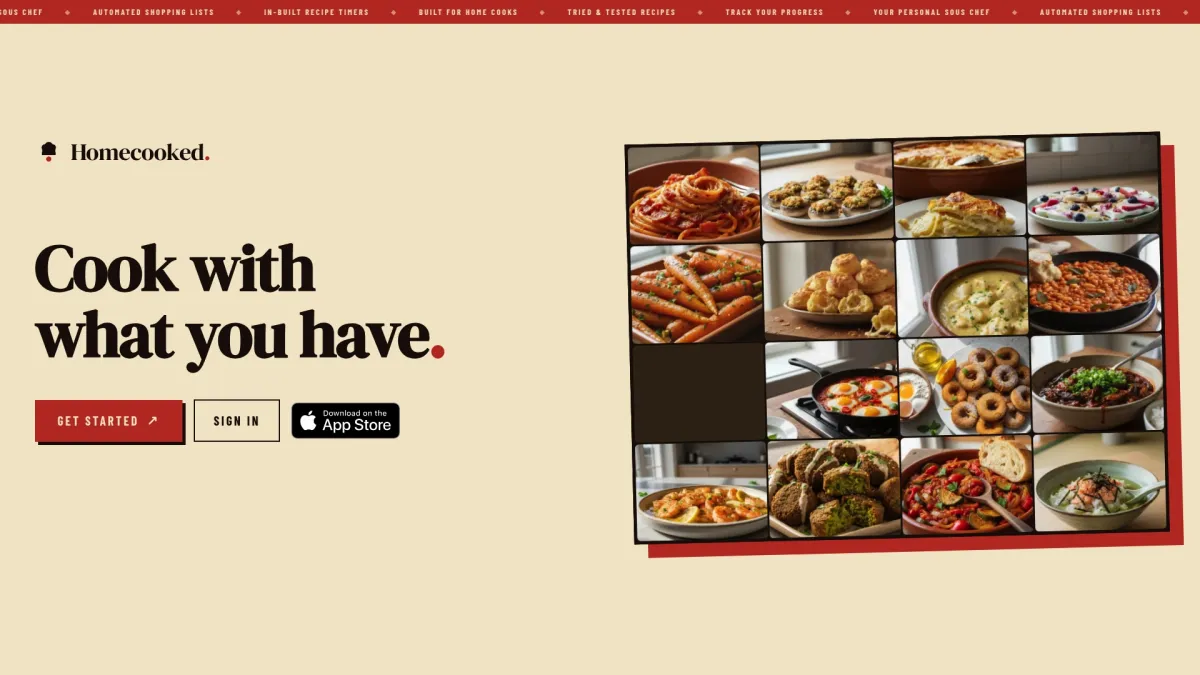
Homecooked generates personalized meal plans tied to what you’re actually trying to achieve, whether that’s eating more protein, managing a specific dietary restriction, or simply cooking more at home without the daily decision fatigue. The app includes pantry tracking so your plans reflect what you already have, step-by-step guided recipes with integrated timers so you’re never guessing what comes next, and automated shopping lists that update as your plan changes. Progress tracking keeps your goals visible week over week.
The cooking experience is warm and practical. Recipes like bibimbap or apple cinnamon oatmeal come with clear instructions and built-in timers, so even a weeknight cook with 30 minutes to spare can follow along without stress. Homecooked Pro unlocks the full feature set, and a free trial lets you test the experience before committing. For health-conscious users who want a meal planner that actually fits their life, it’s worth a look.
Key Takeaways
The best AI meal planner in 2026 depends entirely on your use case: Eat This Much leads on macro automation, Samsung Food leads on free access, and apps like PlateJoy and FoodiePrep lead on health-condition personalization.
| Point | Details |
|---|---|
| Macro automation | Eat This Much is the only app that auto-generates full plans to exact calorie and macro targets with no manual recipe selection. |
| Free starting point | Samsung Food’s free tier includes recipe saving, manual planning, and nutrition data; Food+ adds AI plans at $6.99/month. |
| Family coordination | eMeals and AnyList lead for households, covering curated family diets and real-time shared grocery list management respectively. |
| AI personalization depth | FoodiePrep and PlateJoy go deepest on health-condition-aware personalization, with plan queuing and grocery delivery integration. |
| Homecooked | Homecooked combines health-goal-aligned meal plans, pantry tracking, guided recipes with timers, and automated shopping lists in one app. |